EasyManua.ls Logo

Vernacare COMPACT+ - Engineer Mode Functions

Vernacare COMPACT+
42 pages
Print Icon
To Next Page IconTo Next Page
To Previous Page IconTo Previous Page
Loading...
Vernacare Compact Plus Technical Manual-Revision 2-Issued by N.Shields 14.2.2020
Page | 37
11. ‘ENGINEERS MODE’ Functions
To access ‘ENGINEERS MODE’first switch the machine off. Press and hold the yellow button on top of
the electrical cabinet then switch the machine back on again. The engineers mode message should
flash on the LCD display if done correctly.
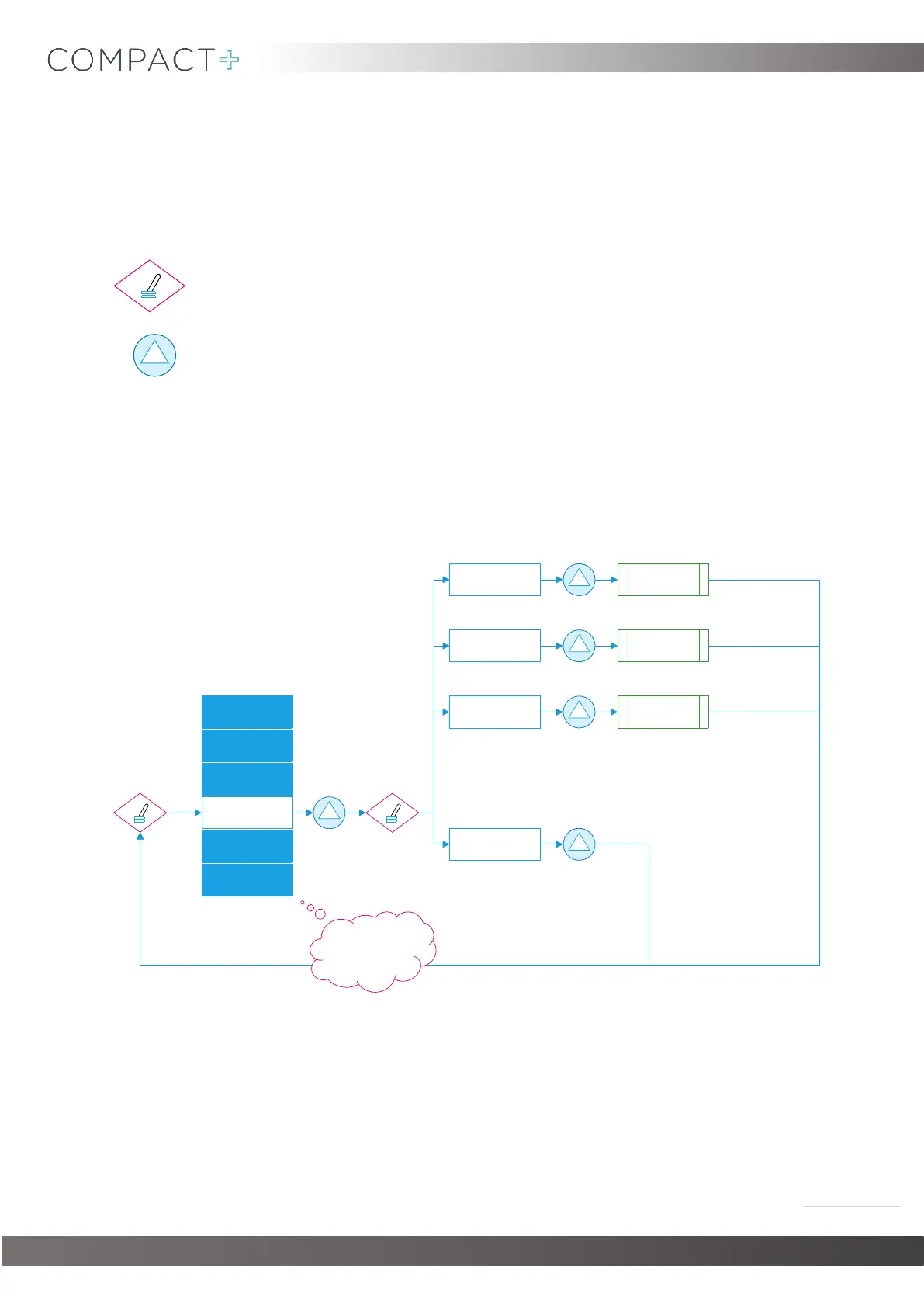
= Toggle switch (Located on top of the electrical cabinet)
= Start switch (Located underneath the display)
11.1. Priming the Pumps & Opening the Drain Valve
(Note that when priming either pumps the start button must be held)

SET TIME&DATE DRAIN VALVE
BACK
CYCLE SETTINGS
COMMS SETTINGS
PRIME PUMPS
SERIAL NUMBER
SAVE&EXIT
DIAPHRAGM
OPENED
DEO PUMP PUMP PRIMED
WATER PUMP PUMP PRIMED
Once you are happy with
your changes, scroll to
SAVE&EXITthen press
start to bring you out of
engineers mode.

Table of Contents