EasyManua.ls Logo

Vernacare COMPACT+ - Auto Start and Cycle Mode Settings

Vernacare COMPACT+
42 pages
Print Icon
To Next Page IconTo Next Page
To Previous Page IconTo Previous Page
Loading...
Vernacare Compact Plus Technical Manual-Revision 2-Issued by N.Shields 14.2.2020
Page | 38
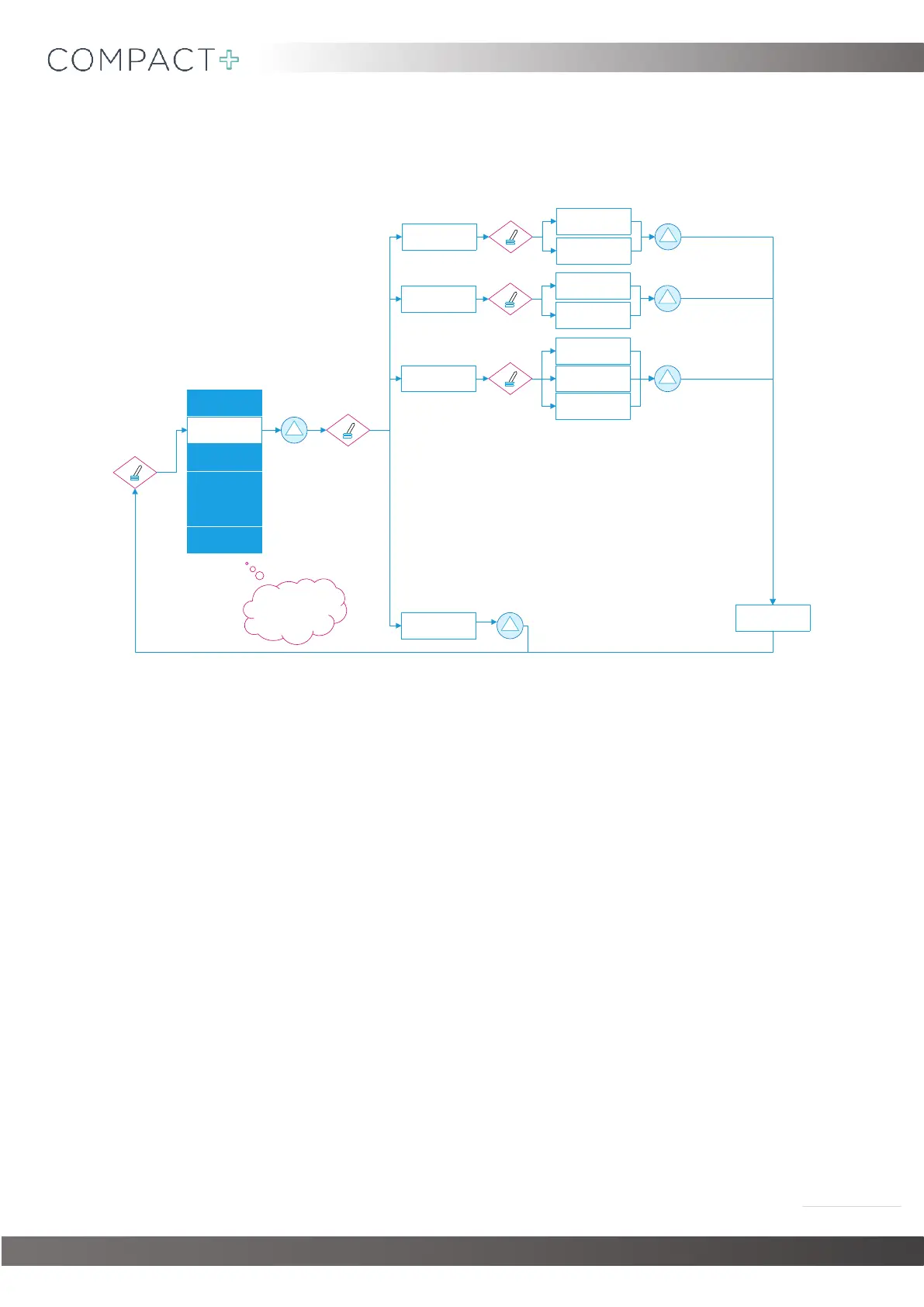
11.2. Setting ‘AUTO START’ & Adjusting Cycle Modes
SET TIME&DATE
CYCLE SETTINGS
COMMS SETTINGS
PRIME PUMPS
SERIAL NUMBER
SAVE&EXIT
AUTO START
SERVICE RESET
CYCLE SELECT
AUTO START
(ON)/OFF
AUTO START
ON/(OFF)
SERVICE RESET
(ON)/OFF
SERVICE RESET
ON/(OFF)
STANDARD CYCLE
PLUS CYCLE
ECO CYCLE
SETTING CHANGED
BACK
Once you are happy wi th
your changes, scroll to
SAVE&EXITthen press
start to bring you out of
engineers mode.
Note that the alternate cycle modes are as follows:
Standard Cycle- Normal operation. 4 products/cycle.
Heavy Duty Cycle- Used only for busy wards when the machine is running continuously. 4
products/cycle.
Eco Mode- Used for light duty machines. 1 product only/cycle.
Please take care to select the appropriate cycle to ensure the machine operated both as safely and
economically as possible.
The service reset on/off function allows an engineer to rest the service due message which appears
every 5000 cycles.

Table of Contents