11
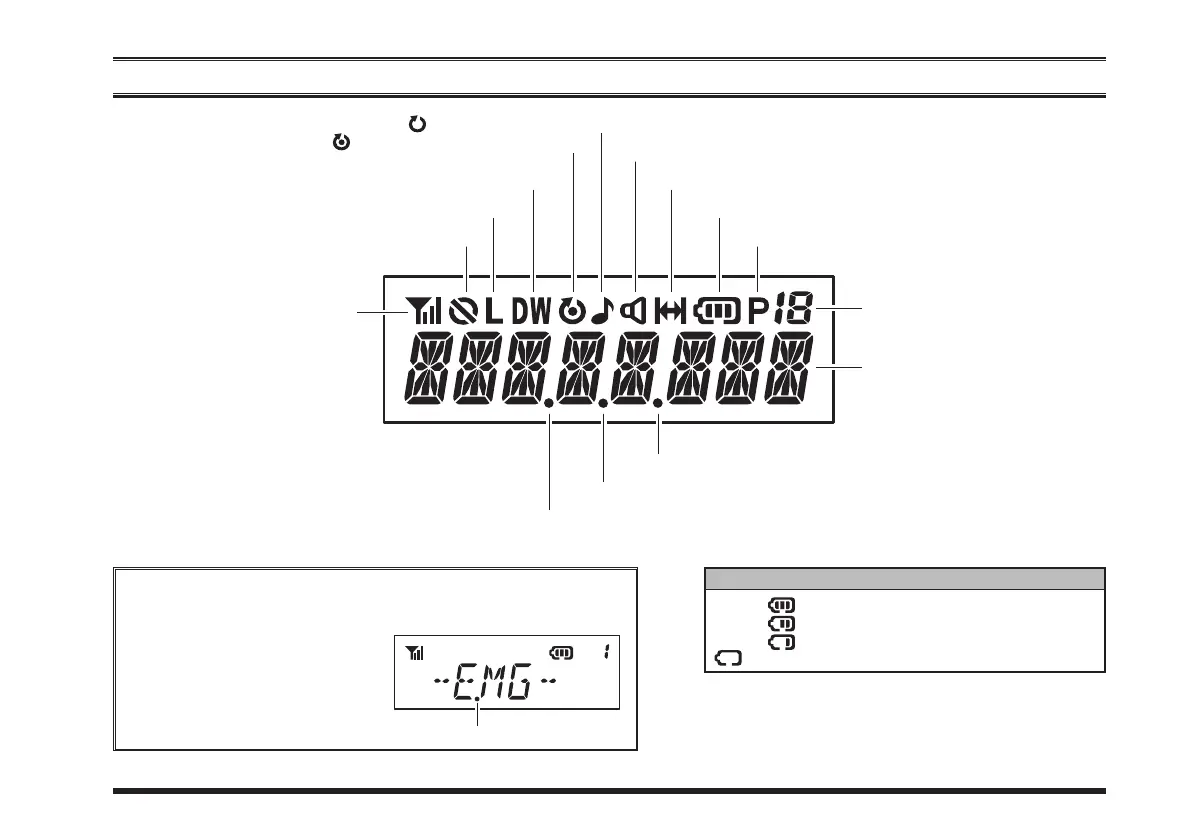
lcd icons & indicators
TXPower&RSSIIndicator
(
foursteps
)
“
Encryption
”isactivated
LowTransmitPowerMode“
On
”
“
CALL
”Indicator
ReceiverMonitor
BatteryIndicator
GroupNumber
“
Dual Watch
”isactivated
:“
Scan
”isenabled
:“
Priority Scan
”isactivated
“
VOX
”isactivated
“
Talk Around
”isenabled
batterY indicator
:
:
:
w/blink:
FullBatteryPower
ModerateBatteryPower
LowBatteryPower
PoorBatteryPower(ChargetheBattery)
PriorityChannelIndicator
8Character
Alpha-NumericDisplay
“
Lone Worker
”isactivated
“
Group Scan
”isenabled
These small dot appears continuously until each function is
turned“OFF”,regardlessoftheoperationofotherfeatures.
For example, when activates
the Emergency feature while
the Lone Worker featureis ac-
tivating,the displayindicateat
theright.
“
Lone Worker
”isactivated













 To Next Page