12
oPeration
r
Installachargedbatterypack ontothetransceiver, as
describedonpage8ofthismanual.
r
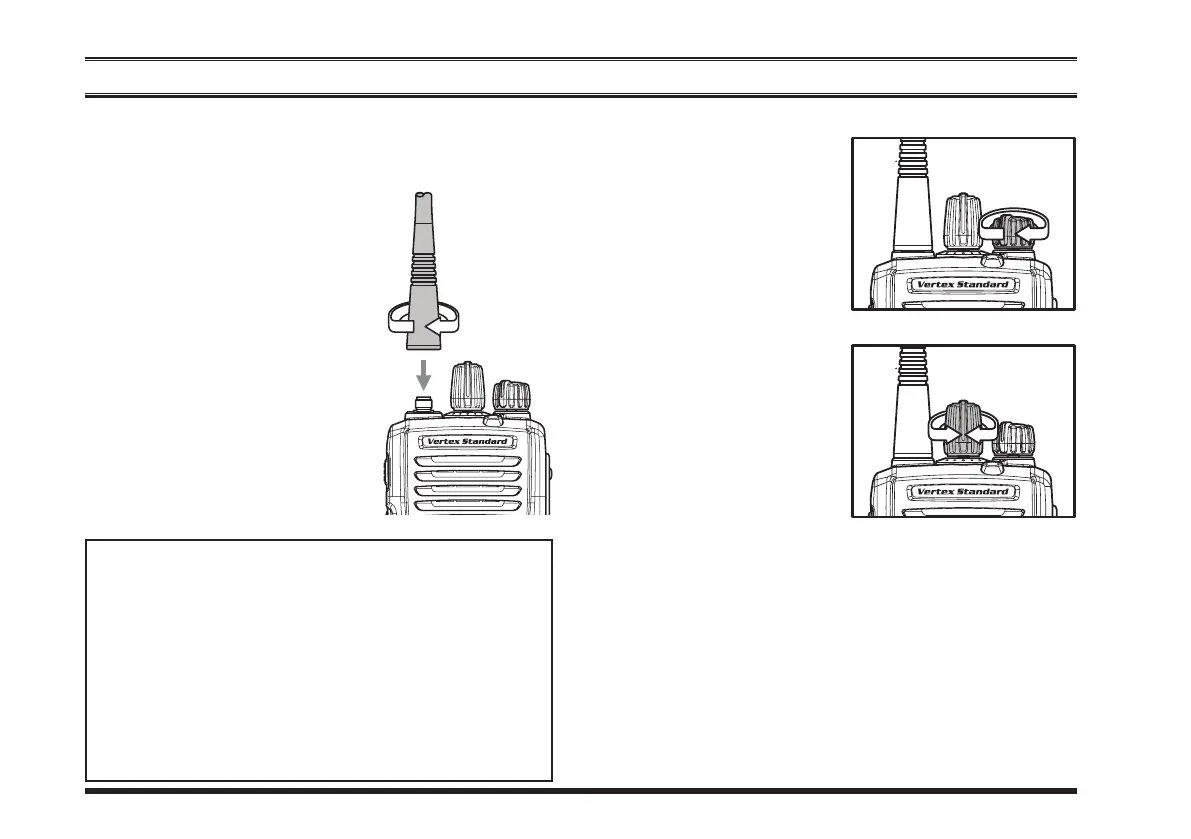
Screw the supplied antenna
ontotheAntennajack.
Itis not recommended tooper-
ate this transceiver without an
antennaconnected.
r
If you have a Speaker/Micro-
phone, we recommend that it
not be connected until you are
familiar with the basic opera-
tion of the
VX-264
. Refer to
nextpageformoreinformation
about Speaker/Microphone us-
age.
IMPORTANT NOTE
Thewaterresistanceratingofthetransceiver(IP55)
isassuredonly whenthefollowingconditions are
met:
r
Batterypackisattachedtothetransceiver;
r
Antennaisconnectedtotheantennajack;
r
MIC/SP
capisinstalledinthe
MIC/SP
jack.
r
Use of a speaker microphone in the
MIC/SP
jacknegatestheIP55rating.
r
Tu rn th e to p p ane l’s
VOL/PWR
knob clock-
wisetoturntheradioon.
r
Turn thetop panel’s
CH
Selector knobto choosethe
desired operating chan-
nel.Achannelnamewill
appearontheLCD.
r
Ifyouwanttoselecttheoperatingchannelfromadif-
ferent Channel Group, press (or press and hold) the
Programmablekeyassignedtothe“
grouP uP/doWn
”
functionto changedesired ChannelGroup beforese-
lectingtheoperatingchannel.
Note:Somemodelsareprogrammedsothattheoper-
atingchannels areselectedby theProgrammablekey
andtheChannelGroupisselectedbythe
CH
Selector
knob.Forfurtherdetails,contactyourVertexStandard
dealer.













 To Next Page