Getting started
Insert the SIM card
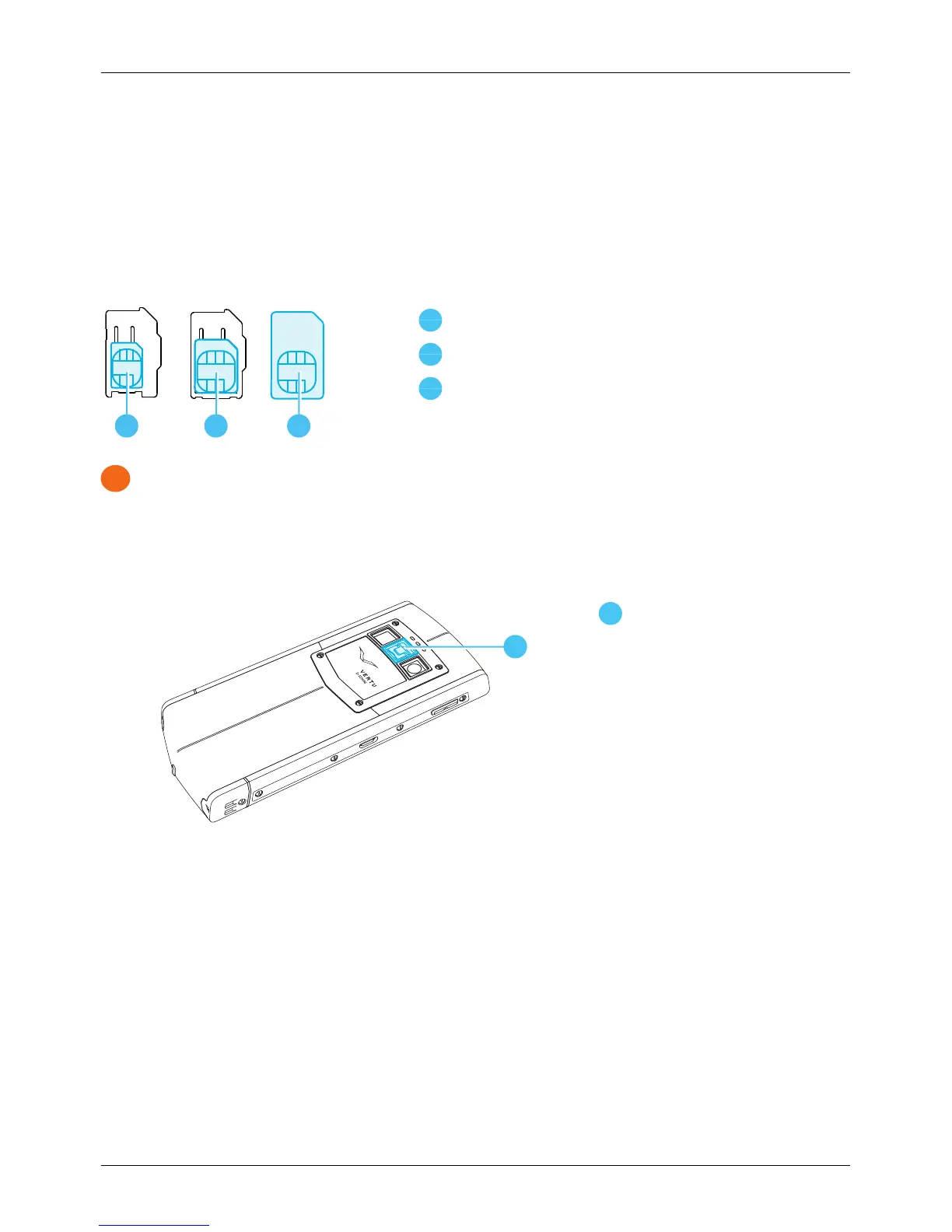
Your VERTU Ti phone is designed to be used with a standard SIM card or, through the use of a special
adapter, with a microSIM or a nanoSIM card. Your sales pack contains two adapters to convert a microSIM
card or a NanoSIM card into a SIM.
NanoSIM card (shown in the provided adapter)
MicroSIM card (shown in the provided adapter)
Important: Use of incompatible nanoSIM, microSIM or SIM cards may damage the card or your
phone, and may corrupt data stored on the card.
To avoid damaging the SIM card or your phone, follow these steps carefully:
1.
Lift the latch and push the mechanism up to release the back cover.
Latch
2.
Open the SIM door by sliding it to left to unlock it.
Getting started
© 2013 Vertu Corporation Limited. All rights reserved. 11















 To Next Page