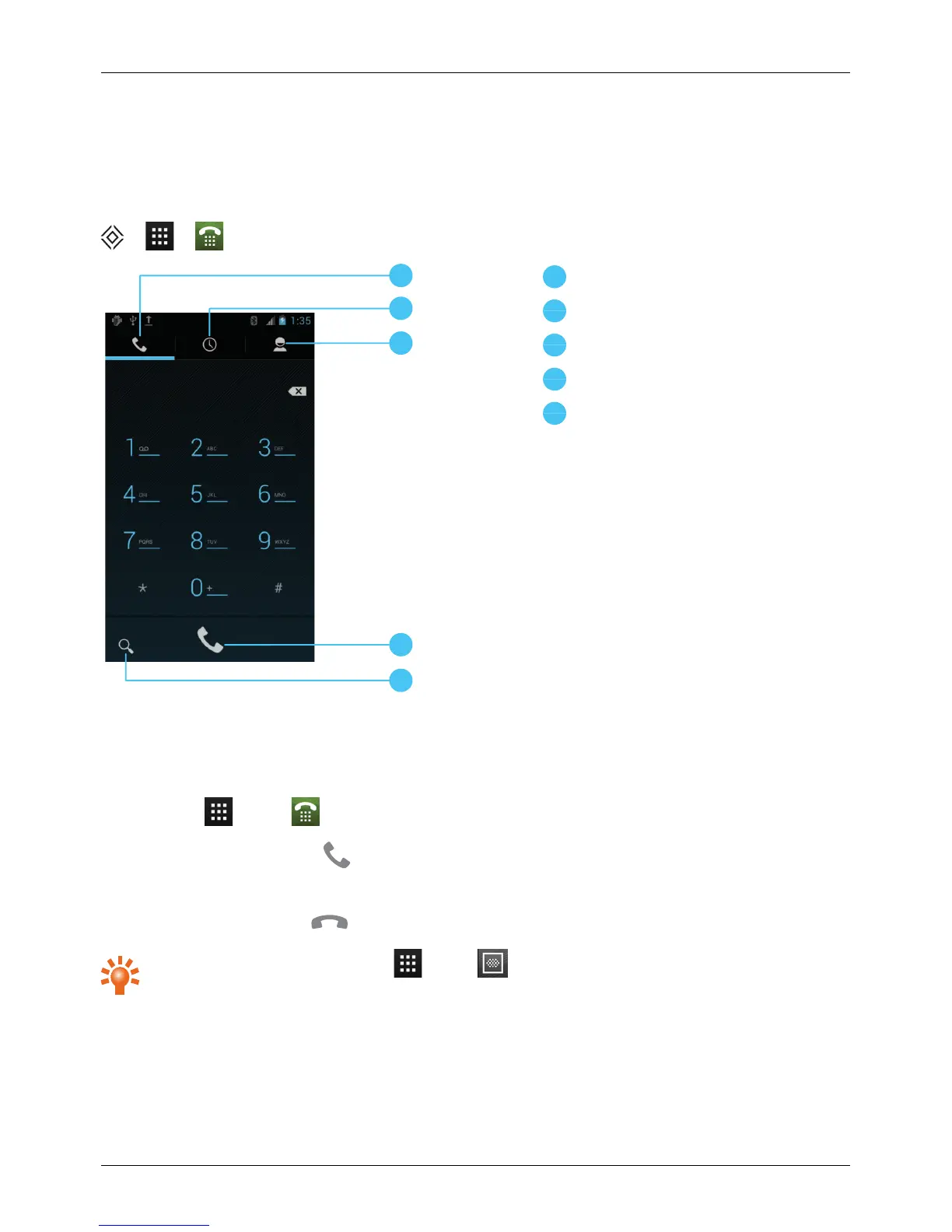
Search
Make and answer calls
To make a call:
1.
Touch Apps > Phone and enter the phone number on the dial pad.
2.
To make the call, touch .
Note: To enter the + character, used for international calls, touch and hold 0.
3.
To end the call, touch .
Tip: To voice dial a contact, touch Apps > Voice Dialer and say “Call” followed by a
contact name.
Calls
© 2013 Vertu Corporation Limited. All rights reserved. 28















 To Next Page