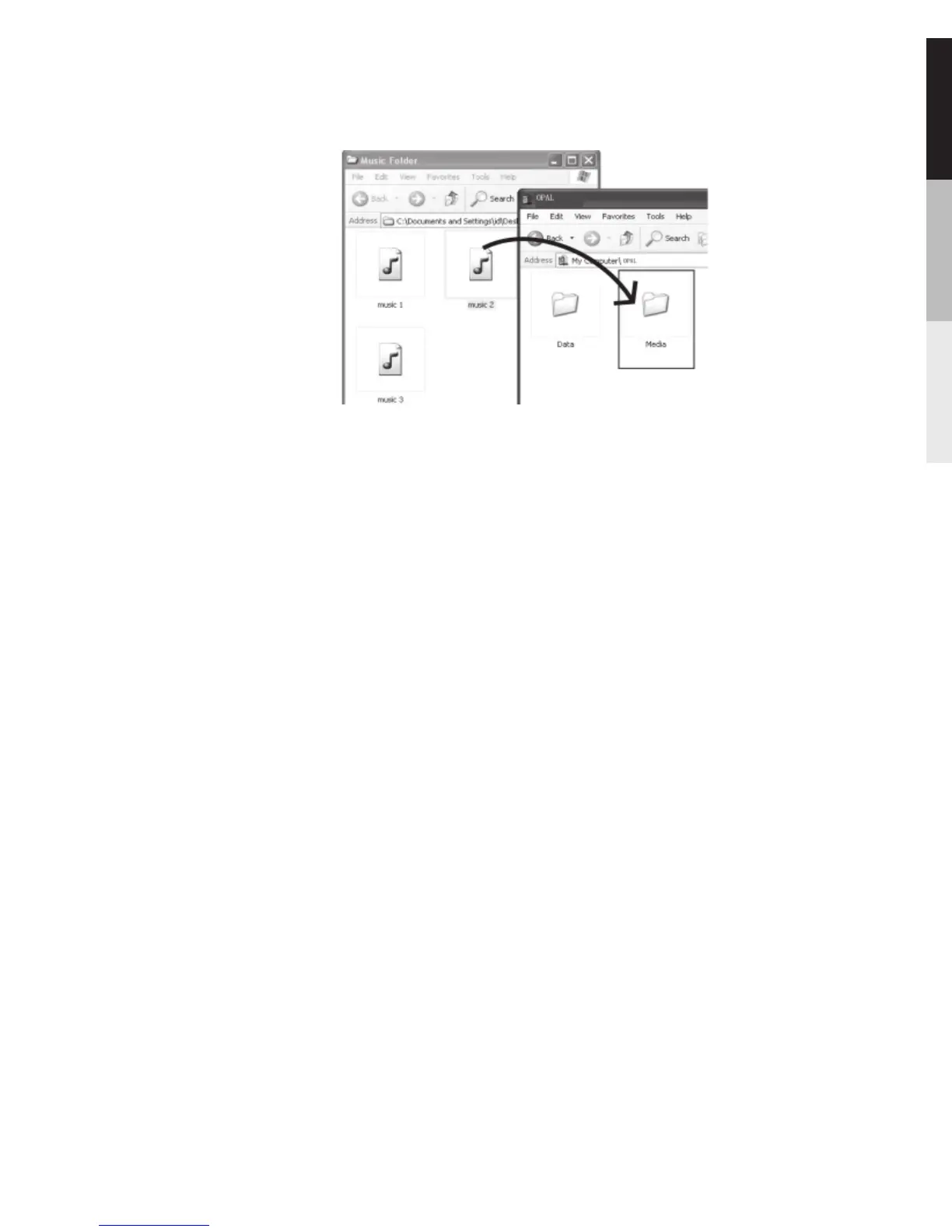
another location (drive) in the system.
If Windows Media Player 10 or above is not installed in
Windows® XP, or your computer is running Windows®
2000, the player is connected to the computer in MSC
mode. You can transfer files via the Windows Explorer
(drag-and-drop). From Windows Explorer, highlight all the
files/folders you want to transfer to your player and drag
them to the drive letter that is associated with it.
Picture files should be copied to the root directory for
viewing while video files can not be dragged and copied to
the player directly as only. SMV files are supported. The
video files must be converted and transferred to the player
via VERVE Video Converter for playback (refer to page 19).
Alternatively, you can transfer the coverted video files to
the root directory.
In Windows® 2000 or Windows® XP(without
Windows Media Player 10 or above installed)
In Windows® XP or Windows Vista (with
Windows Media Player 11 or above installed)
TM
If your computer has installed Windows MediaPlayer 11,
“Internal Storage” shows instead of the folders mentioned
29


 To Next Page