VESDA
®
LaserCOMPACT Product Manual
Version 1.0 5
2.4 Factory Default Settings
The LaserCOMPACT is shipped from the factory with the default settings as per the table in
Section 6.0. Only authorised personnel at the Administrative (ADM) or Distributor (DST) level
may alter these values.
2.4.1 Factory Default User Access Levels
The factory set default access levels are 1 User (USR), 1 Administrator (ADM) and 1 Distributor
(DST). Each level requires a four-digit PIN number to be entered before gaining access to the
detector. The user may add, alter, delete or modify user names and PINs after having gained
access into the system. Up to 10 Users and 4 Administrators may be added.
2.4.2 Factory Default PIN Numbers
The factory default Personal Identification Numbers (PIN) are distributed to authorised personnel
attending accredited VESDA training courses and may be altered after gaining access into the
system.
2.5 LaserCOMPACT Detector Models
The LaserCOMPACT comes in two models and are as follows:-
2.5.1 Relays Only (RO) Model (Part No. VLC 500)
This model is used as a single stand-alone smoke detector and is not connected into
VESDAnet. The model is identified by the part number (VLC-500) which is located on a label at
the bottom of the enclosure (See Figure 2)
Programming this detector is by connecting a PC with a RS232 communication cable to the 9
pin programming socket on the termination card located inside the detector. Run the VConfig
Pro or VConfig Basic program from the PC to program.
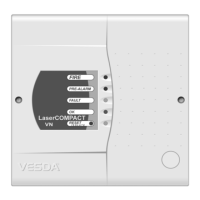
2.5.2 VESDAnet (VN) Model (Part No. VLC 505)
This model is used when the detector is to be connected into VESDAnet. The model is identified
by the part number (VLC-505) which is located on a label at the bottom of the enclosure (See
Figure 2)
Communication to this detector is performed by one of the following methods:-
• Connect a LCD Programmer to the 15 pin programming socket on the termination card
OR
• Connect a PC to the 15 pin programming socket via a PC-Link HLI device and running the
VConfig Pro of VConfig Basic program from the PC
OR
• To a VESDAnet socket from a remote Programmer or PC.
This detector can be used as a stand-alone device and not connected into VESDAnet. In this
configuration, the VESDAnet terminals must be linked. Refer to Section 4.4.









 To Next Page