VESDA-EVES-A00-P Product Guide
58 www.xtralis.com
5.5.3 Ethernet Options
The Ethernet options provide the ability to configure the detector to join an existing wired Ethernet network
using the normal building network connection process or be directly connected to a PCor laptop.
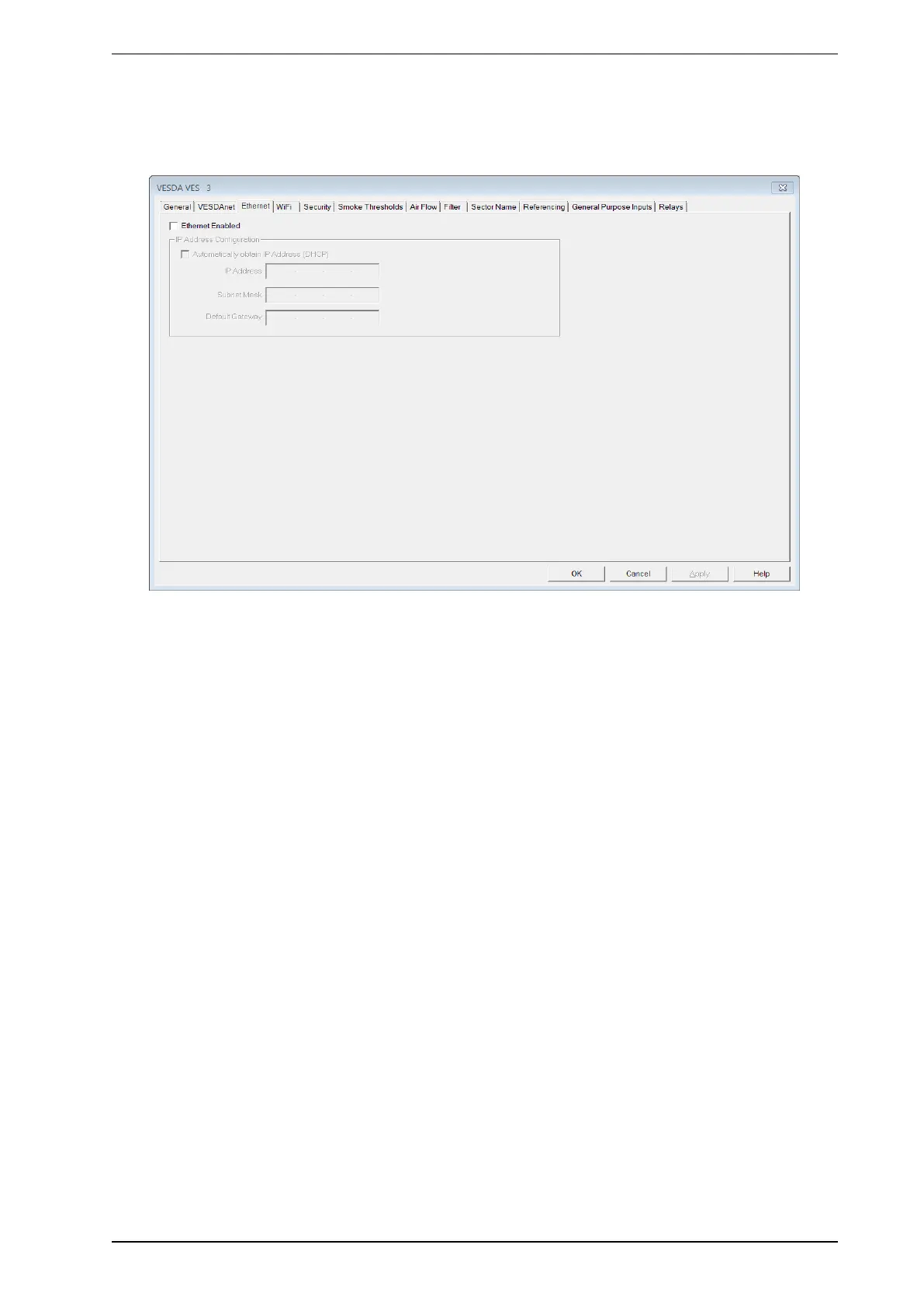
Figure5-14: Ethernet Options
The Ethernet configuration options are as follows:
Ethernet Enabled: Tick to enable Ethernet for use.
Dynamic IP Address Configuration
l Automatically obtain IP Address: Controls whether the VES-A00-P uses a static IP address or
automatically obtains an address from a DHCPserver available on the building network. If this option is
selected, the IP address, Subnet Mask and Default Gateway fields are disabled. Once the IPaddress
has been successfully obtained by the detector, it is displayed on the detector detail status screen.
Static IP Address Configuration
l IP Address: IPV4 static address. This address must be used when creating a connection profile for the
detector in Xtralis VSC.
l The default IP address is 192.168.0.200. This allows direct connection between a PC or Laptop and
the VES-A00-P using a standard Ethernet cable.
l Prior to connecting the detector to a router or other gateway device, the default address must be
changed to an address in the range used by the router. This can be done by connecting to the
detector using the USBport.
l Subnet Mask: The subnet mask for the network.
l Default Gateway: The IP address of the router or other gateway device that is servicing the network.










 To Next Page