07
The charging indicator light is always red when charging, and
it lights up green when fully charged. The charging time is
4 to 5 hours.
TECHNICAL PARAMETERS
Product name
Monitor
Lens Angle
Language
Line length
Focal Length of
Three Lenses
Waterproof level
Lens diameter
Batte capacity
Batte endurance
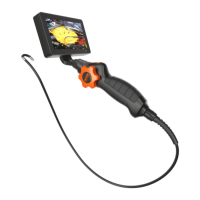
Industrial endoscope
4.5-lnch IPS screen,
Screen Resolution: 854 x 480
Each of the three lenses is 70°
Lens Resolution 1920 x 1080
English, German,
Simplied Spanish, French,
Russian, Japanese
5m
Front: 3-10cm, Side B: 2-6cm,
Side C: 2-6cm
IP67 (only for lens/line)
8mm
2860mAh
About 3.5 H
TROUBLE SHOOTING
Device cannot be
turned on.
Problem
TF card reading
failed.
Solution
The batte is low, charge ttie machine for
about 4-5H, resta.
1. TF card format is incorrect? (This device
only suppos FAT32 le format).
2. Reinse after removing the TF card.


 To Next Page