04
Step 1: Please open the package to conrm the appearance of the product is in good con-
dition, and be familiar with various function switches.
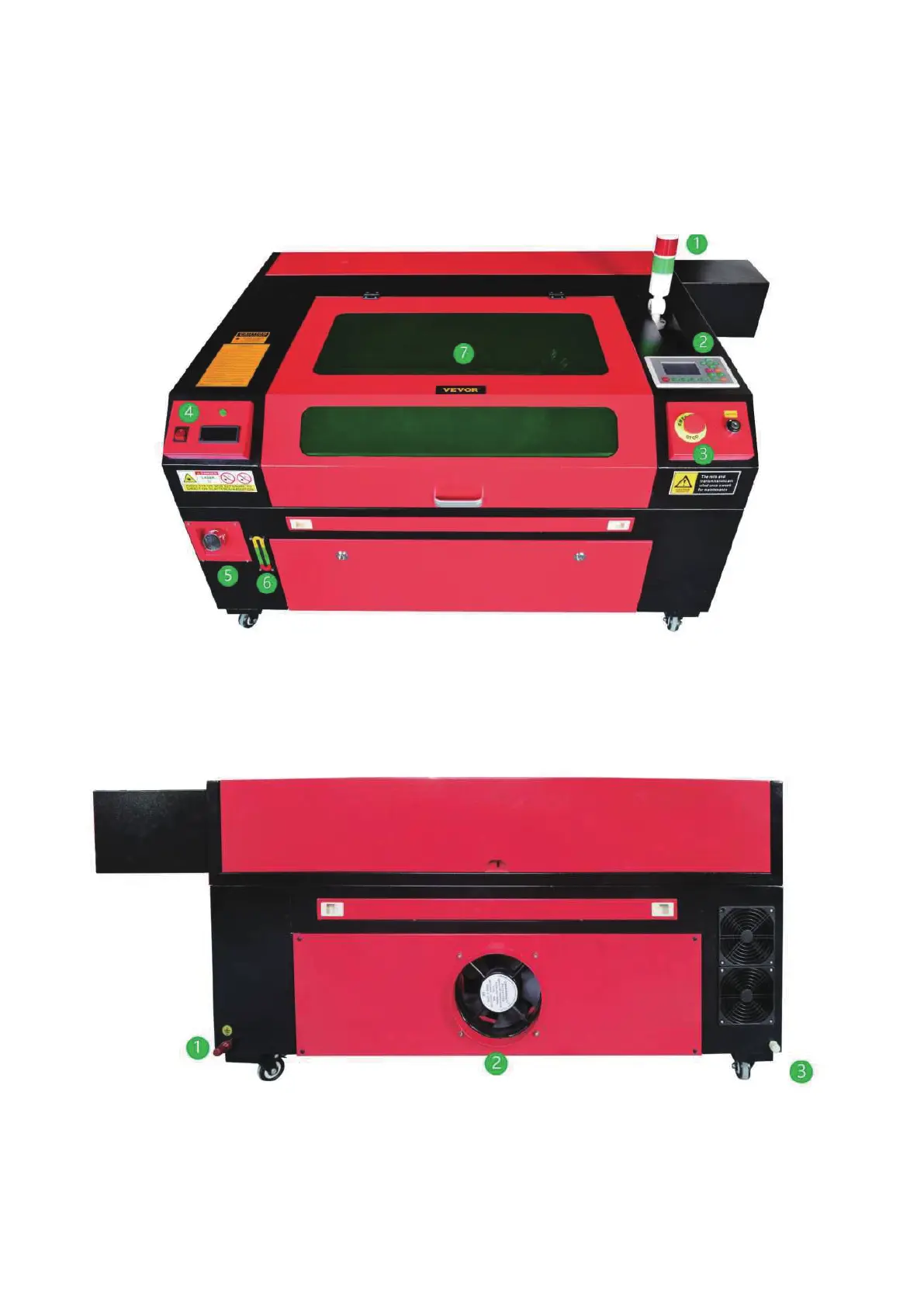
①Laser working indicator ②Equipment operation panel ③Equipment power control
switch④Water cooling system control panel ⑤Water injection po ⑥ Water level display
①Ground terminal ② Smoke outlet ③ Water outlet



 To Next Page