REMOVING TAIL STOCK SPINDLE
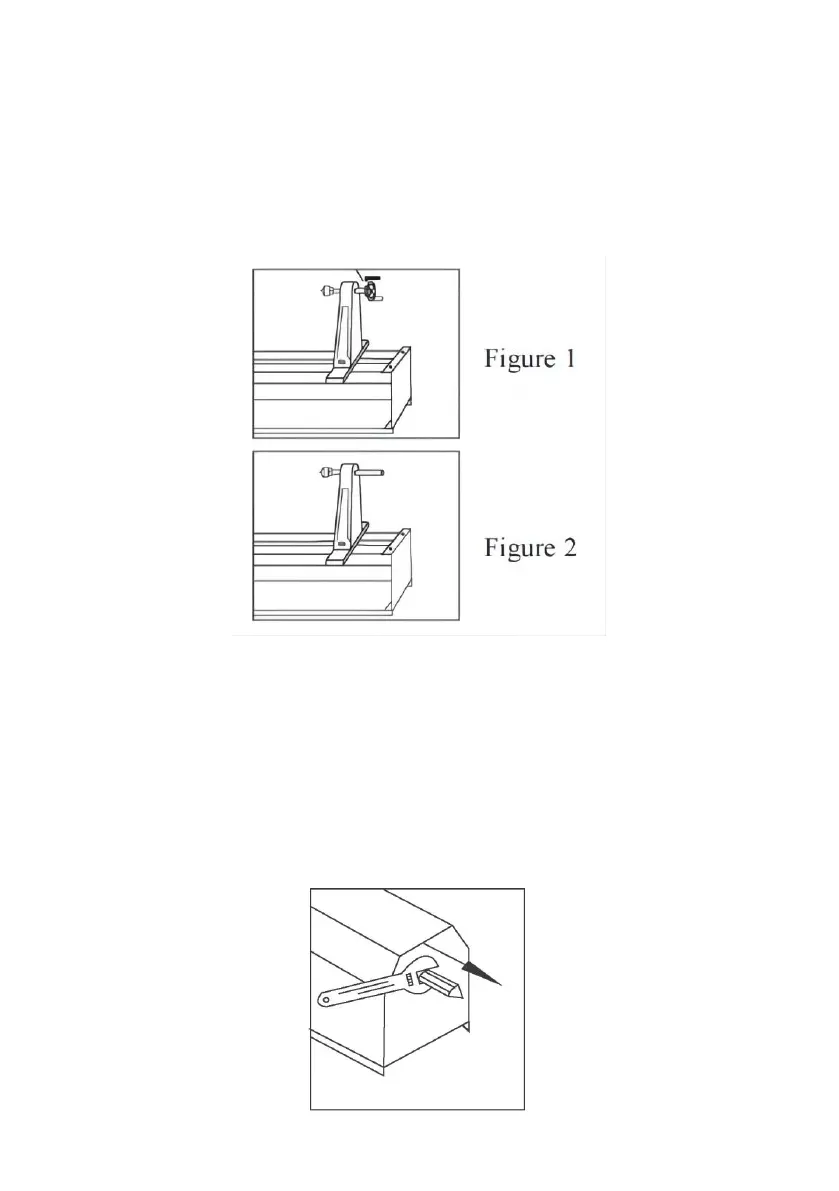
To remove the tail stock spindle from tail stock assembly:
1. Disconnect the lathe from power source.
2. Remove the hand wheel by loosening set screw with 1/8” hex wrench
away from spindle.(as figure 1)
3. Unscrew tail stock spindle from tail stock assembly.(as figure 2)
REMOVING DRIVE CENTER
Drive stock center must be removed to attach to stock when spindle turning.
It also need to be removed when attaching faceplate for faceplate turning.
To remove drive center from driving spindle:
1. Disconnect the lathe from power source.
2. Use the wrench hold the flat neck of the driving spindle. then unscrew
drive center counterwise.(as figure)


 To Next Page