IPScan Probe 600 User’s Guide
30
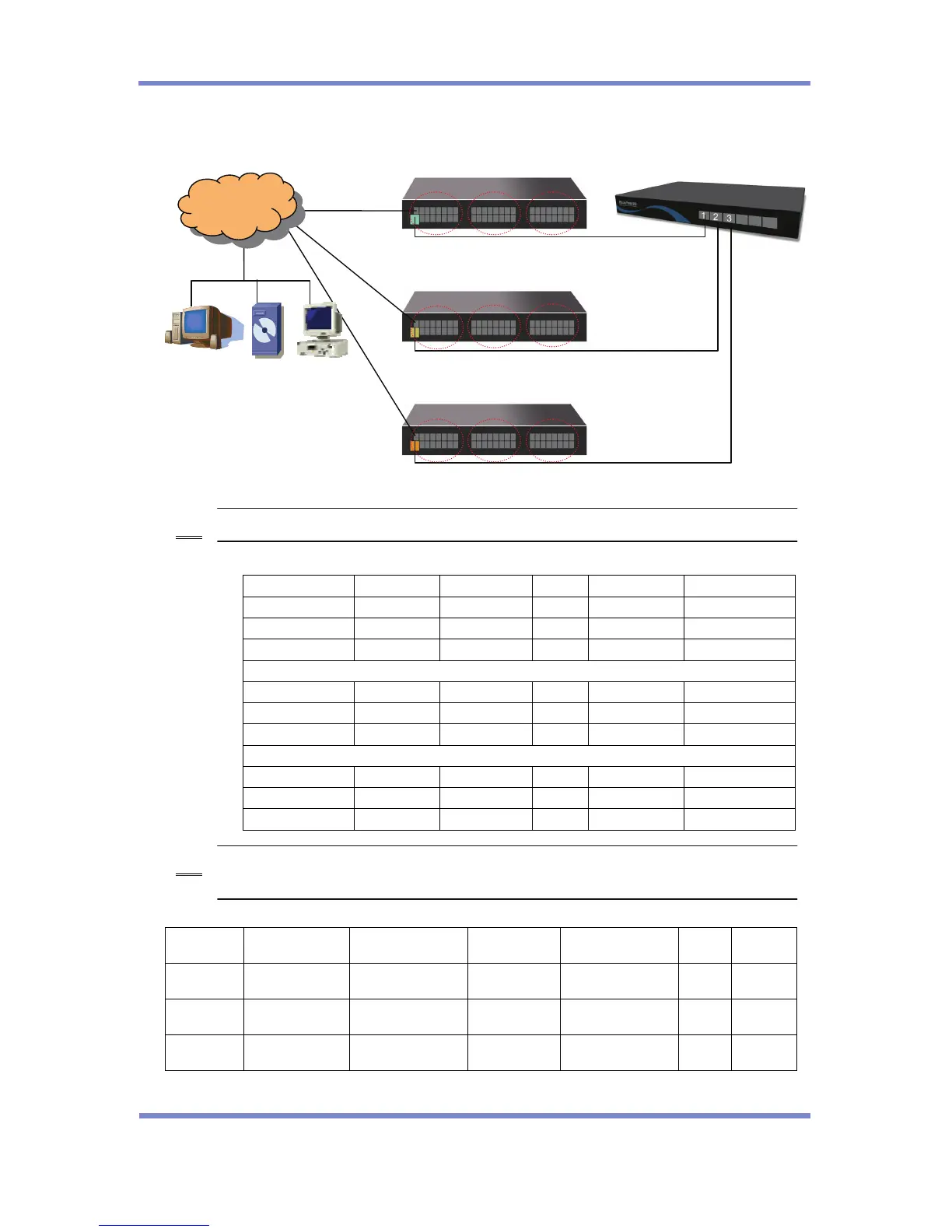
From the IPScan Console, each Ethernet Port will be shown as three different probes
[Monitoring Range] Configuration from IPScan Console
Host IP VLAN ID DHCP use Port Start End
10.10.10.254 0 NO 1 10.10.10.1 10.10.10.254
10.10.20.254 1 NO 1 10.10.20.1 10.10.20.254
10.10.30.254 2 NO 1 10.10.30.1 10.10.30.254
10.10.40.254 0 NO 2 10.10.40.1 10.10.40.254
10.10.50.254 4 NO 2 10.10.50.1 10.10.50.254
10.10.60.254 5 NO 2 10.10.60.1 10.10.60.254
10.10.70.254 0 NO 3 10.10.70.1 10.10.70.254
10.10.80.254 7 NO 3 10.10.80.1 10.10.80.254
10.10.90.254 8 NO 3 10.10.90.1 10.10.90.254
If VLAN 0,3,6 are defined as Default VLAN, the VLAN ID should be [0]. Otherwise, VLAN ID
should be defined as its VLAN ID.
[LAN] Configuration from IPScan Probe
Ethernet
Port
IP Subnet Gateway
Master
Server IP
VLAN
ID
Master
Port
Ethernet
Port 1
10.10.10.254 255.255.255.0 10.10.10.1 100.100.100.2 0 0
Ethernet
Port 2
10.10.40.254 255.255.255.0 10.10.40.1 100.100.100.2 0 0
Ethernet
Port 3
10.10.70.254 255.255.255.0 10.10.70.1 100.100.100.2 0 0
Note
Note


 To Next Page