About the Smart Class 4800 and 4800P
Smart Class 4800/4800P Quick Start Guide
July 2017 22122291, Rev. 000 Page 2
Powering the instrument
Power is supplied by the battery or the AC power adapter provided with the instrument
that was shipped to you.
Turning the instrument on or off
To turn the power on or off:
– Press the ON/OFF key.
If powering up, power key illuminates green.
If powering down, you must press the ON/OFF key for one second. After the confirma-
tion message appears, select Yes to power down. The instrument saves the current
settings and then shuts down. The next power up will return to the last test running.I
Charging the battery
In most instances, the battery charges automatically when you supply power to the unit
using the AC power adapter.
Exploring the Smart Class 4800 and 4800P
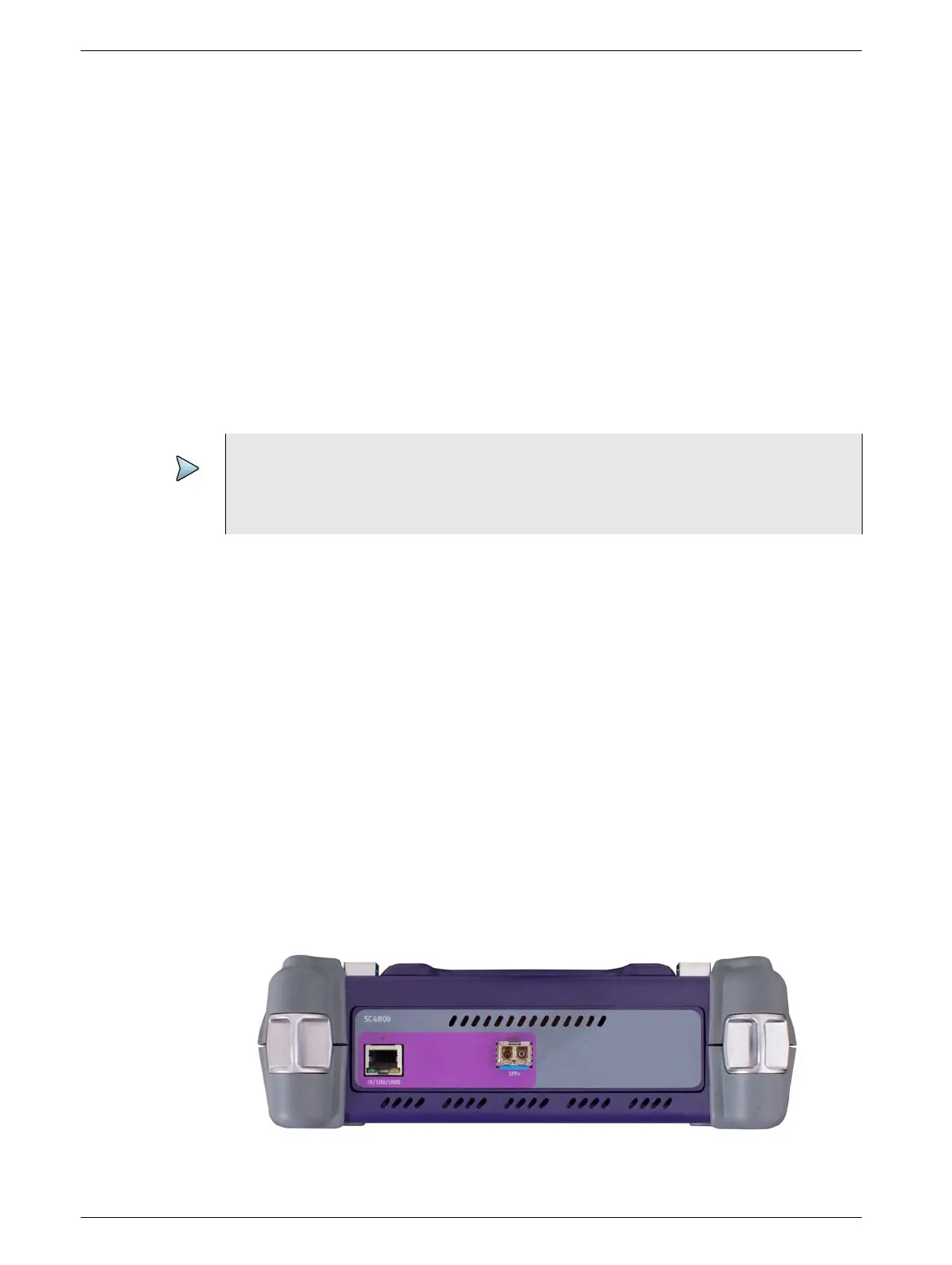
The connector panel of the SC 4800 provides the internal connectors and SFP connec-
tors used to connect the instrument to the circuit for testing. After selecting a test appli-
cation, LEDs illuminate indicating which connectors to use for your test. Figure 2 and
Figure 3 on page 3 show the connector panels for SC 4800 and 4800P respectively.
Refer to “Exploring the T-BERD ⁄ MTS 5800 and SC 4800“ in the Getting Started Guide
for detailed connector specifications.
Figure 2 Connector panel, top of SC 4800
NOTE:
Pressing the power button for more than four seconds causes a hard shut-down.
The current settings are not saved. The next power up launches the first available
test.







 To Next Page