About the Smart Class 4800 and 4800P
Smart Class 4800/4800P Quick Start Guide
July 2017 22122291, Rev. 000 Page 3
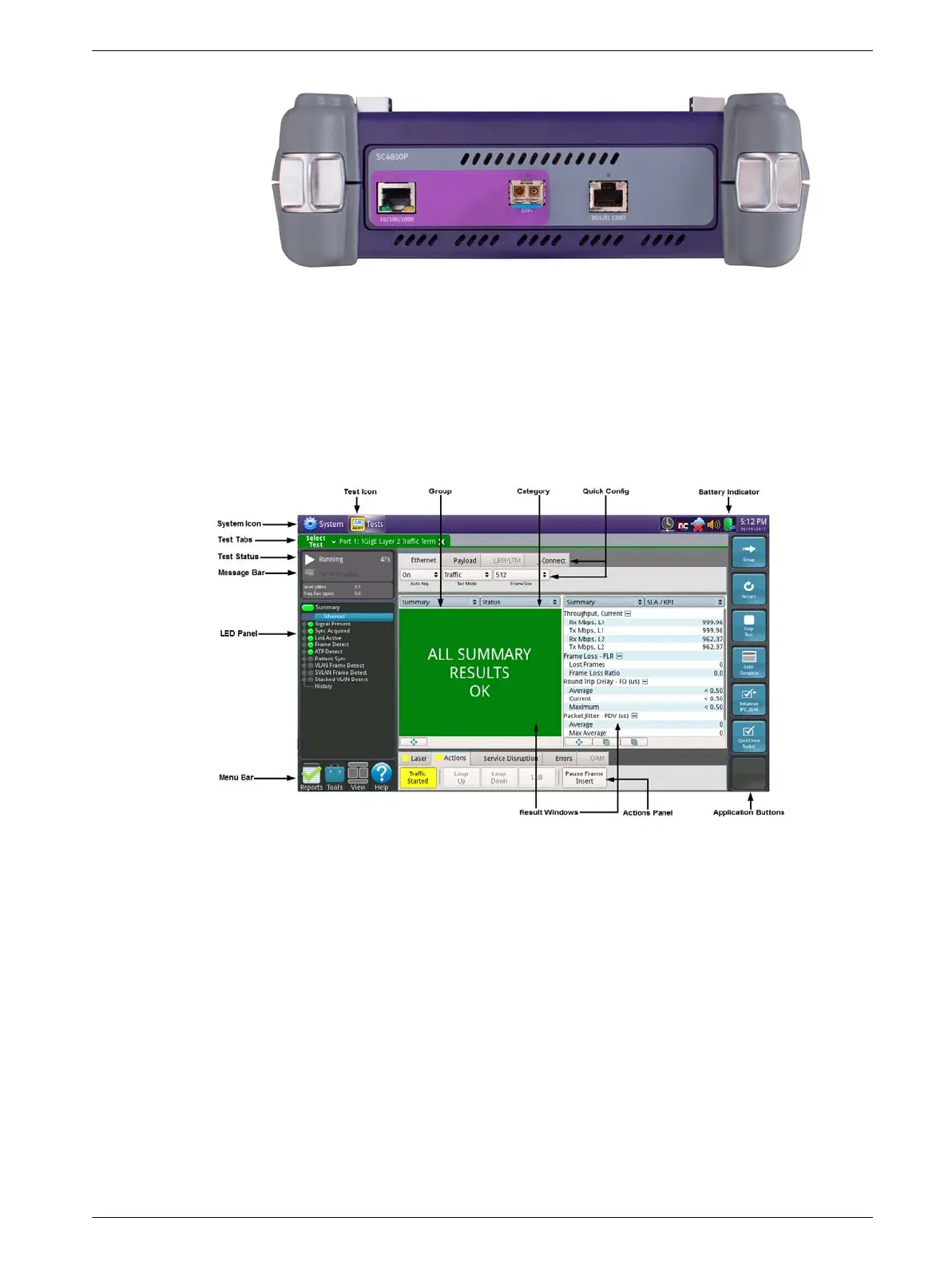
Figure 3 Connector panel, top of SC 4800P
Navigating the user interface
The user interface lets you set up the instrument, configure tests, and display test
results. See Figure 4
Figure 4 Main screen (Ethernet application)
System and Test Icons
–Use the System icon to access the system settings (such as setting the date
and time, and managing files).
– Use the Test icon to access the test applications.
Menu Bar
The menu bar provides the following icons: Reports, Tools, View, Help.






 To Next Page