13
the black test lead i nto COM terminal.
Please note that the red test lead is for positive polarity.
NOTE:
(I) DO NOT input voltage or signal in the capacitance range.
(2) If there is remaining values on LCD before measurement,
to ensure measurement accuracy, press REL keytoclear it.
(3) The meter works only in autorange during capacitance
measurement.
(4) To avoid damage to the meter, fully discharge capacitors
before measurement.
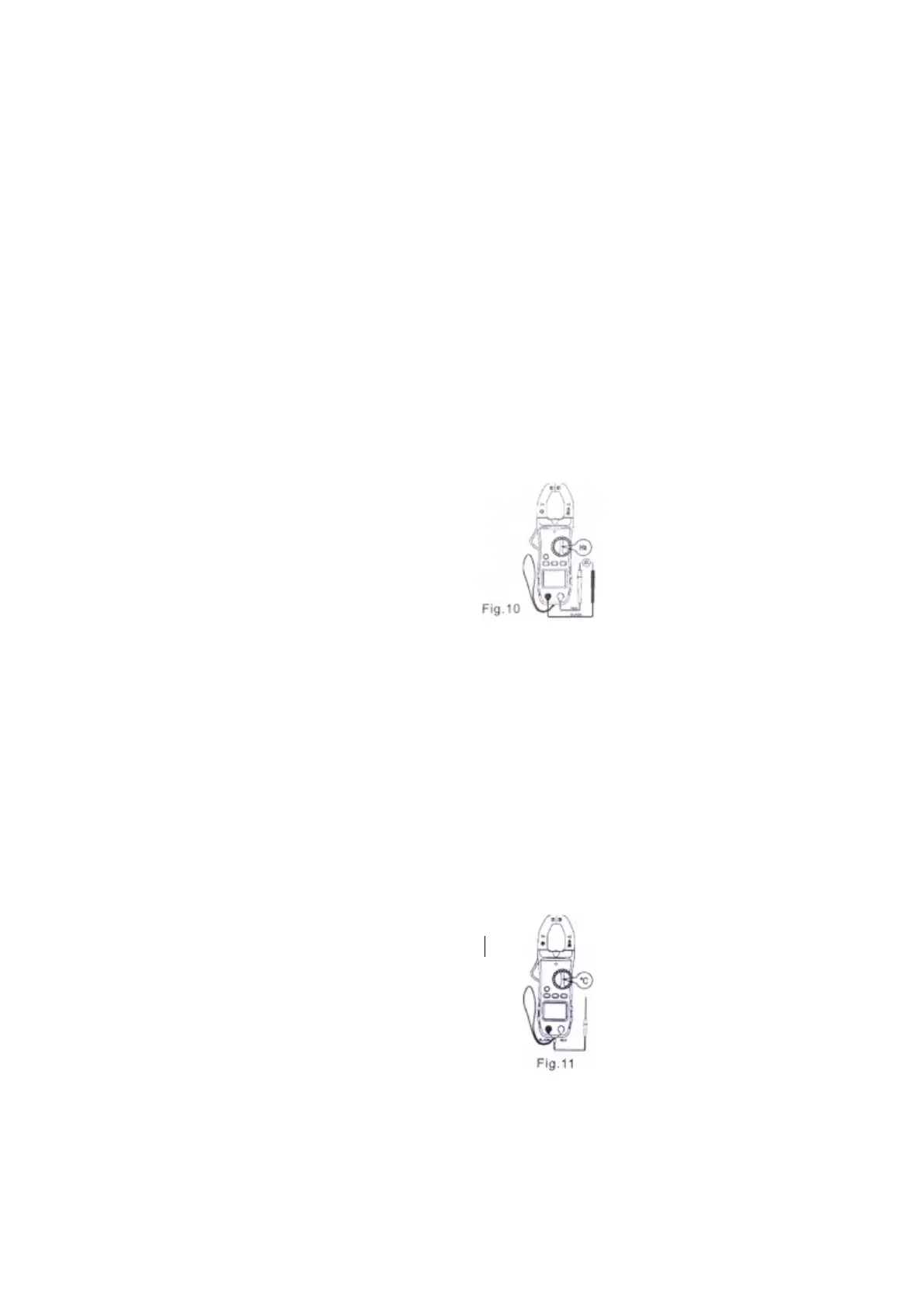
4.9. FREQUENCY AND DUTY RATlO MEASUREMENT
(I) Turn the rotary function switch to the Hz position. Plug the red
test lead in to "VΩ " terminal and the black test lead into COM
terminal.
(2) Touch the test leads to the test points.
Read measurement values from the LCD
(fig.10)
(3) Press Hz/DUTY key to switch between
frequency and duty ratio measurements.
NOTE:
(I) When the input exceeds 10Vrms, change
to ACV range, and then press Hz/DUTY key
to switch between frequency and duty ratio
measurements.
(2) When measure small signals in the environment with noise
it's better to use a shielded cable.
(3) When testing high voltage circuit, to avoid electric shock,
DO NOT touch the circuit by hands or bodies,
(4) DO NOT input voltage above 250Vrms in this range.
4.10. TEMPERATURE MEASUREMENT
(1) Turn the rotary function switch to the °C position. Plug the
black test lead (negative) of thermocouple into "COM" terminal
and the red test lead (positive) of thermocouple into "VΩ" terminal
(fig.11)
NOTE:
(I) Keep the meter away from high temperature.
Use the thermocouple within the rated
temperature range.
(2) To ensure measurement accuracy, DO NOT
change temperature probe at random need.
(3) DO NOT input voltage in thi srange.


 To Next Page