Vicon Valkyrie Quick Start Guide
15 Dec 2022, Revision 1
Valkyrie handling recommendations
Before you unbox your new camera, learn the right way to lift and carry it,
and maintain its IP65-rated protection.
Carry and mount your camera correctly
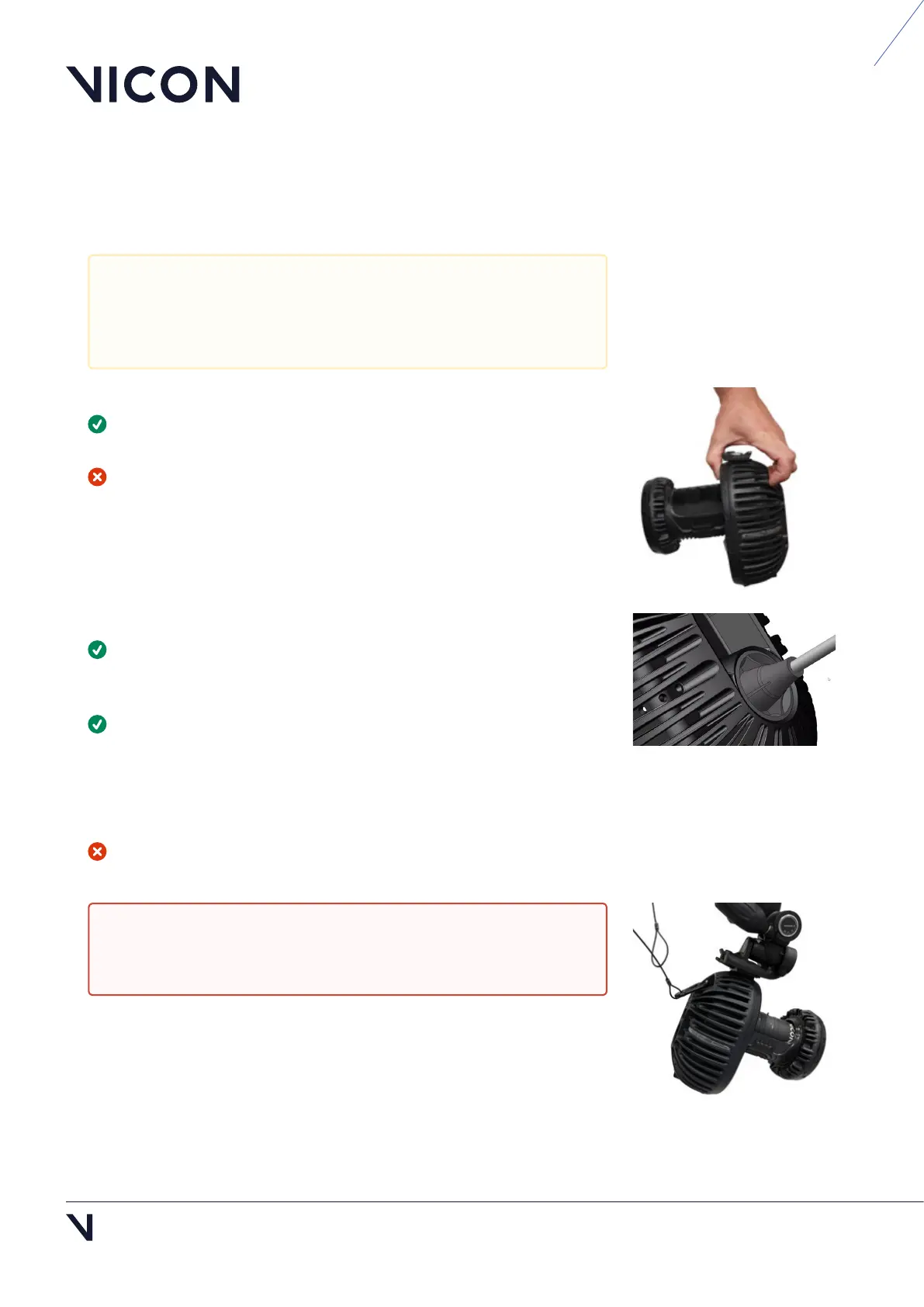
Always use the grip point at the top of the camera to pick up your
Valkyrie camera (as illustrated, right).
Do not pick up the camera in any other way, such as by the lens.
Maintain your camera's IP65-rated protection
If you need to remove the IP65 cable cap that protects the connection
between the Ethernet cable and the camera, ensure that you remove and
replace the cap correctly (see
Remove and replace IP65 cable cap, page 4).
To adjust the focus, aperture, or zoom, you must remove the IP65 lens
cover. To do this, hold the camera body, NOT the lens, and carefully unclip
the lens cover from the lens. You may find it easiest to unclip one side of
the cover first, and then ease off the cover from the other side.
When you replace the cover, ensure it is fully clipped into place.
If the lens cover and IP65 cable cap are not fitted or are incorrectly
fitted, the camera is no longer IP65-rated.
Although Valkyrie cameras are IP65-rated, the other components
of your Valkyrie system (switches, Locks, other cameras, etc) may
not be, so ensure that these components are not exposed to
unsuitable environmental conditions.
Warning: If the cameras are mounted where they may fall and
injure people or damage equipment, tether them to their mounts
with safety bonds (see Tether a camera, page 10).



 To Next Page