1 https://www.facom.eu/uk-en/professiontools/productdetails/hierarchy/7658/catno/985763/
Vicon Valkyrie Quick Start Guide
15 Dec 2022, Revision 1
Add IP65 protection to Ethernet cable
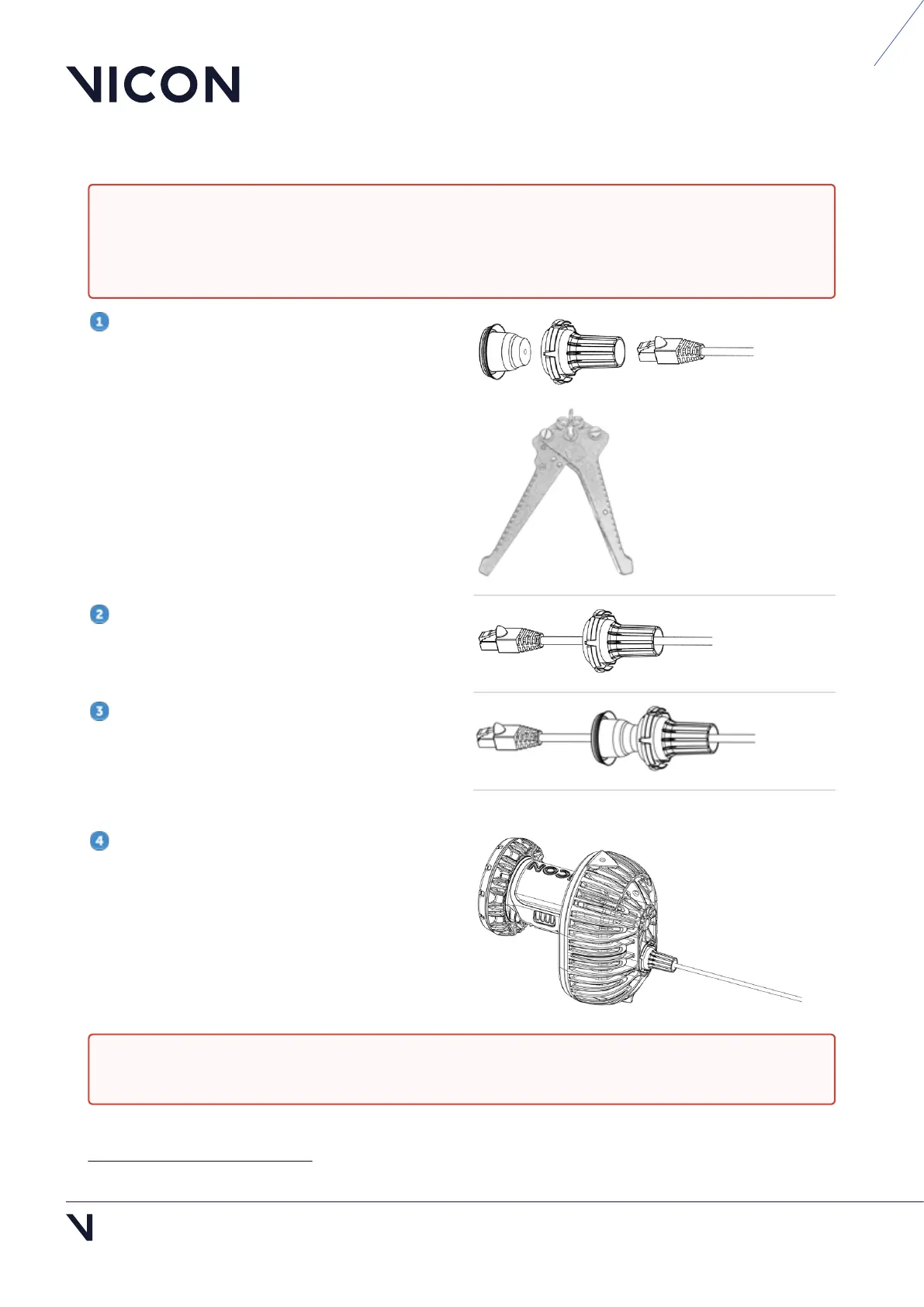
Ensure you have the required parts:
Waterproof cable cap and seal (obtained from
Vicon)
Cat 6 RJ45 cable
Ensure you also have a suitable cable sleeve
expander tool (also known as sleeving pliers), such
as
these sleeving pliers
1
.
Take one end of the cable and thread the RJ45
connector through the cap.
Insert the prongs of the cable sleeve expander
into the hole in the seal and squeeze the handles to
widen the hole so that you can thread the RJ45
connector through it. Ensure that you push the
connector far enough through the opening.
When required, connect the cable to the camera
and fit the cap and seal over the connection as
described in Replace the IP65 cable cap, page 4.
Caution: These instructions apply only if you are adding a Vicon-supplied cap and seal to an RJ45
Category 6 (Cat 6) Ethernet cable. Use of parts obtained from third parties or failure to protect your
Ethernet cable correctly, as described below, will invalidate the IP65 protection and the warranty of
the camera.
Caution: To ensure Valkyrie cameras remain IP65-rated, ensure you always remove and replace the
IP65 cable cap correctly. For instructions, see Remove and replace IP65 cable cap, page 4.



 To Next Page