Vicon Valkyrie Quick Start Guide
15 Dec 2022, Revision
Set up your Vicon Valkyrie system
Define the capture volume
To define the volume:
Place markers around the edges of the volume
to indicate the intended capture volume.
You can often place the markers on the floor. If the
volume to be captured is higher up, place the
markers accordingly. This makes it
easier to visualize
the capture space.
Position the cameras around the volume to
provide full coverage across the volume (see
Install
the cameras, page 6
and Position the cameras, page
13
). Positions will depend on the volume size and
shape.
Install the cameras
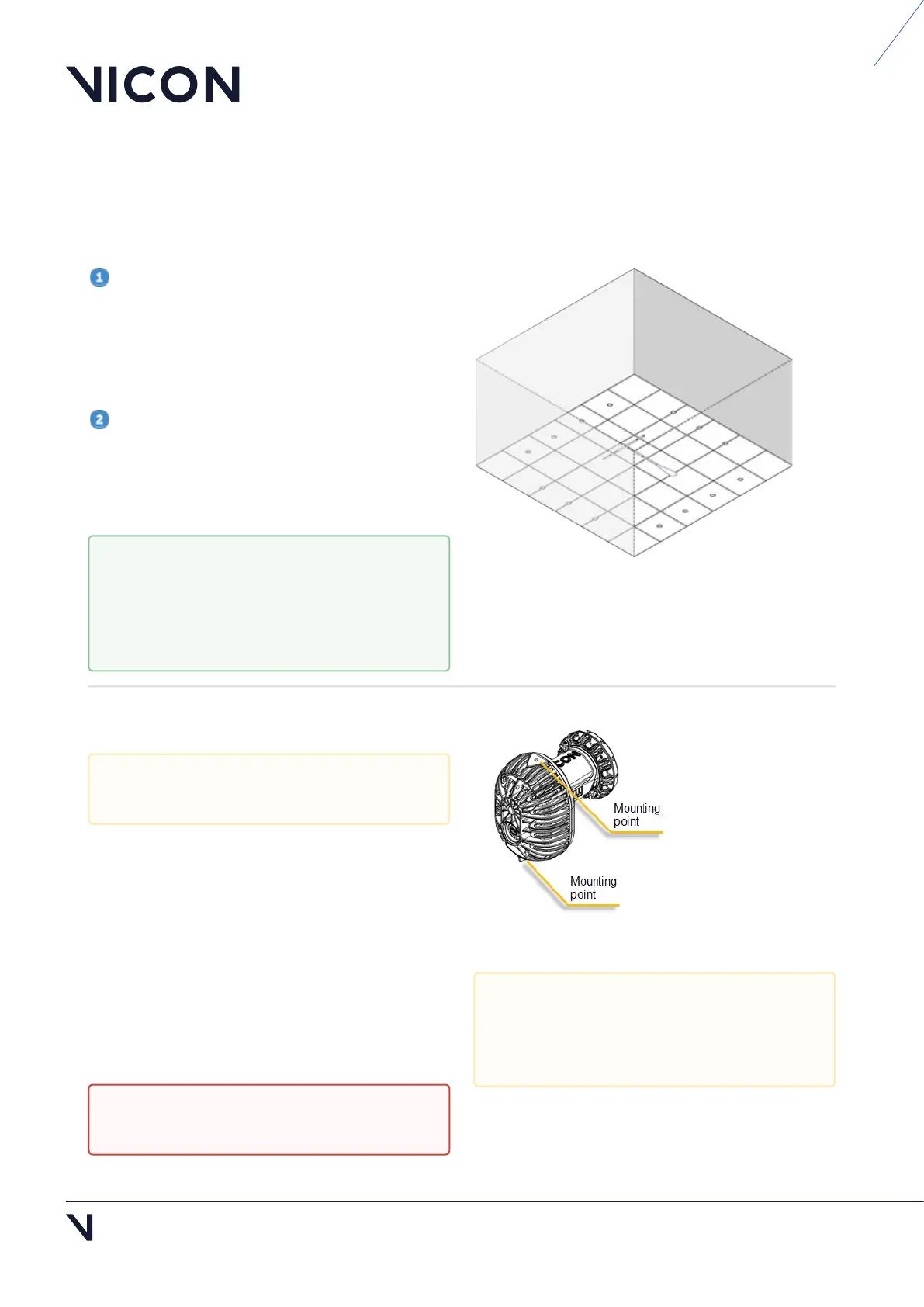
Your Valkyrie camera has two mounting points, top
and bottom, to provide flexibility on mounting and
orienting the camera. These mounting points have
¼" 20 UNC threaded holes, which match the thread
found on most tripod and wall-mount fixing screws.
Ensure the camera is rigidly mounted by clamping it
securely to a rail or mounting on a tripod. For both
options, you must attach the camera to a mounting
head.
To help with camera positioning, use
Valkyrie's Video Preview mode, which
enables you to view a low-resolution image
of the whole scene (see Video Preview
mode, page 13).
Installation must be carried out by trained,
experienced personnel only.
Caution: Ball head mounts and clamps are
not suitable for mounting Valkyrie cameras.
To pick up your Valkyrie camera, always use
the grip point at the top of the camera (see
illustration, Valkyrie handling
recommendations, page 3).



 To Next Page