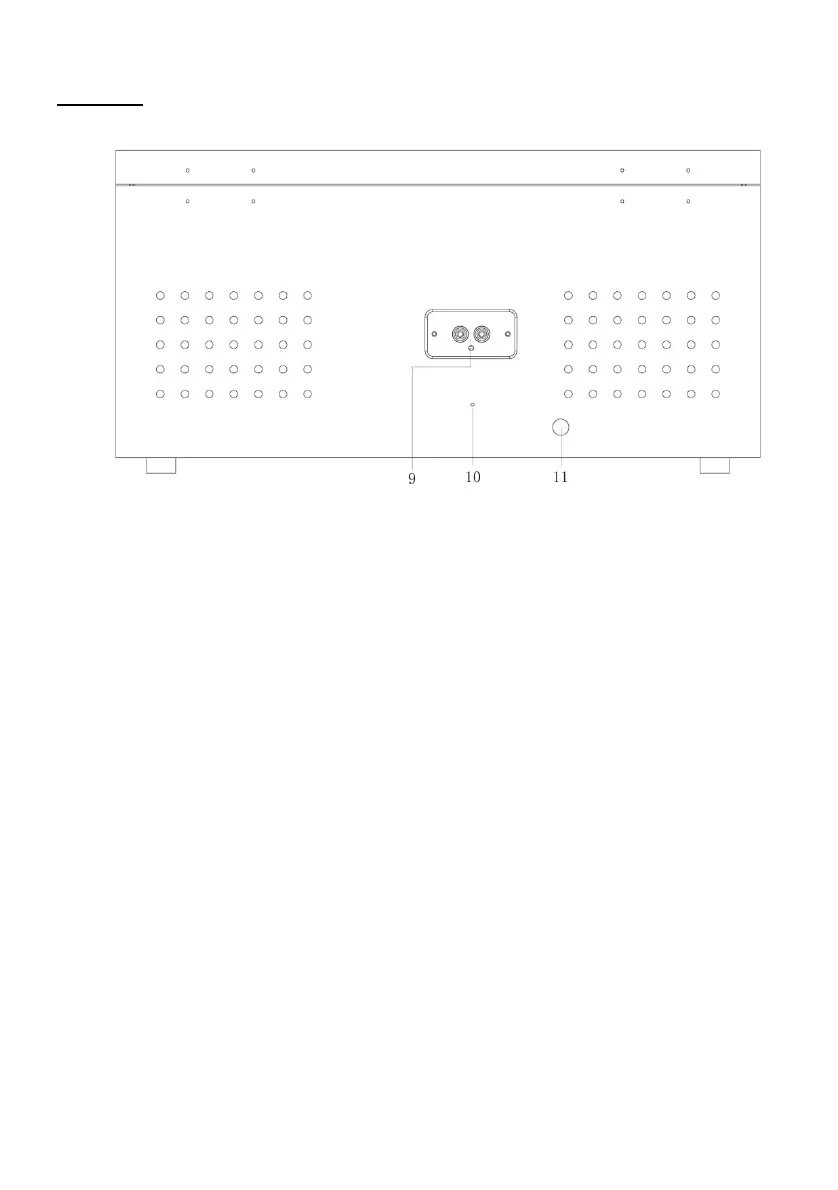
Rear View
9. LINE OUT jacks
For amplifier device with RCA auxiliary input sockets, insert the white and red plugs on the RCA
cable into the unit. Insert the opposite end into the amplifier device. Be sure to connect the white
plug to the white jack and the red plug to the red jack.
10. FM wire antenna
While tuned to a station in FM mode, extend the wire and reposition to adjust for best reception.
11. AC Power Cord
Connect the AC plug into a wall outlet.
It is strongly recommended that this product be operated only from the type of power source
indicated on the marking label.











 To Next Page