QUICK START GUIDE
FUNCTION KNOB - BASIC OPERATION
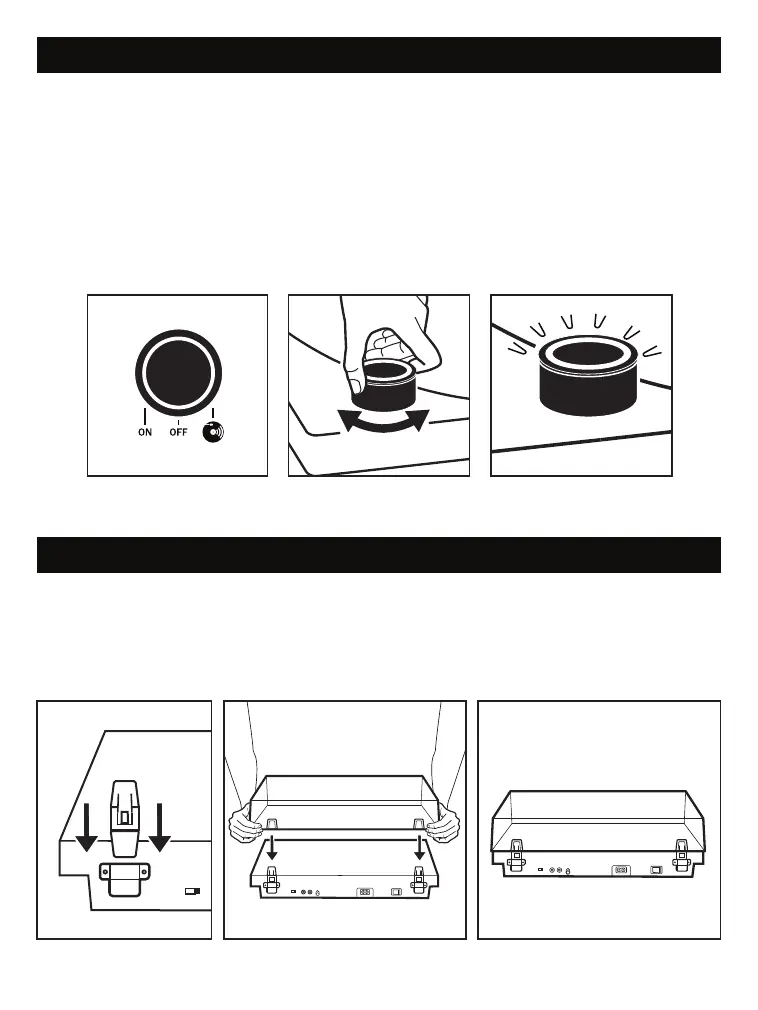
VINYL STREAM: Turn the Function Knob to the right to connect the unit to an external
Bluetooth speaker.
Note: The dial will flash White when pairing to a Bluetooth speaker. When both devices
are paired, the dial will be illuminated White.
POWER ON /OFF: Turn the Function Knob to the left to turn the unit ON. Turn the
Function Knob to the middle to turn the unit OFF.
Note: The dial will illuminate solid white when turned ON. When the unit is OFF the
dial will not be illuminated.
DUST COVER INSTALLATION
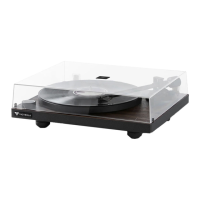
DUST COVER: Locate the plastic hinges in the accessory box. Slide the hinges into the
supports on the back of the turntable. Locate the dust cover and match the unit hinges
with the dust covers slots and slide the lid down into the slot.
Note: When the unit is not in use, it is best to leave the lid covered.


 To Next Page