25
Vidikron Vision Model 50 Owner’s Operating Manual
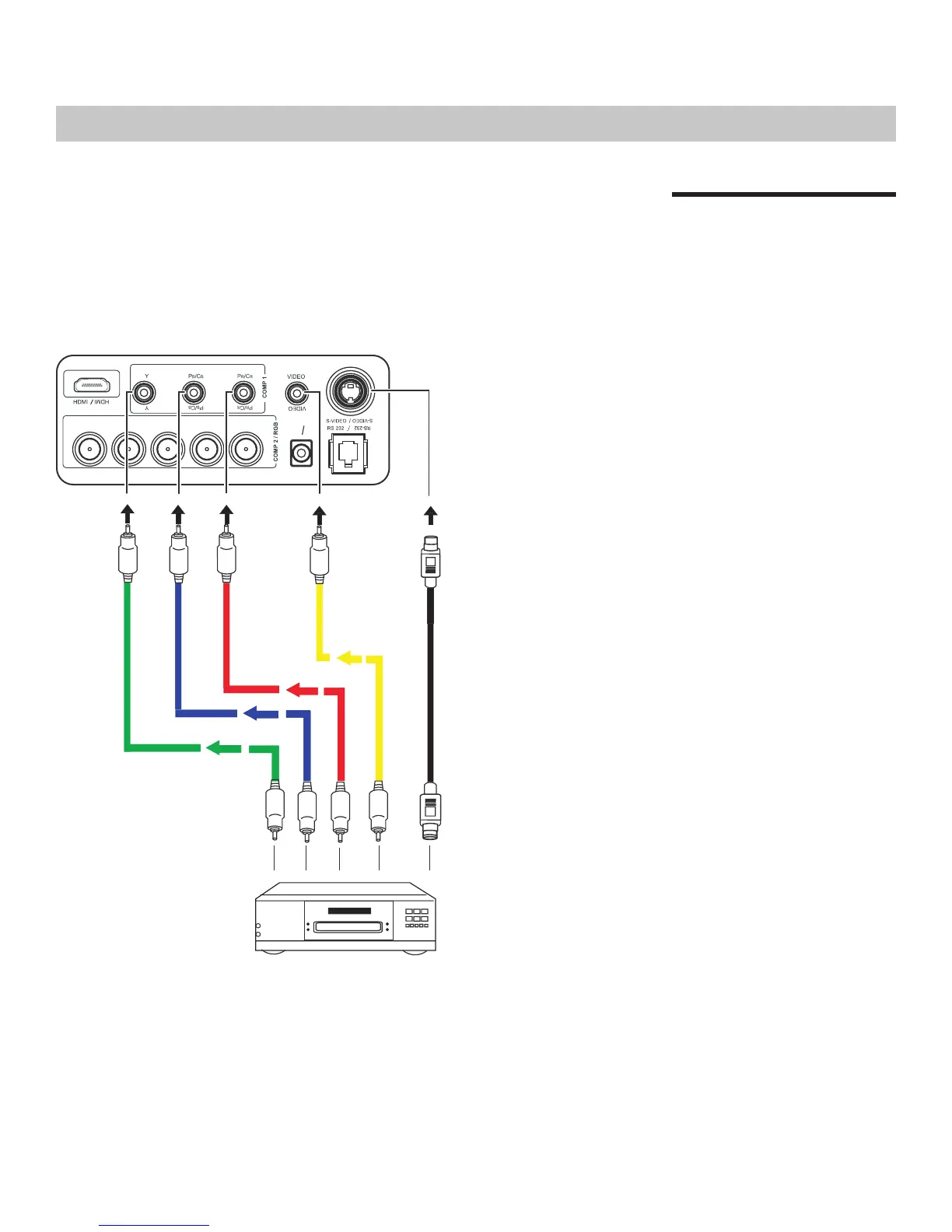
Connecting Video
Inputs
When connecting your equipment, make sure to:
1. Turn off all equipment before making any connections.
2. Use the correct signal cables for each source.
3. Ensure the cables are firmly connected.
Connections
Video / S-Video / Component
(Interlaced Video)
(G) Y
(G) Y
(B)PB/CB
BPB/CB
(R)PR/CR
12V
OU
T
12V
OUT
(R)PR/CR
H
H
V
V
DVD Player


 To Next Page