25
Editing Profiles
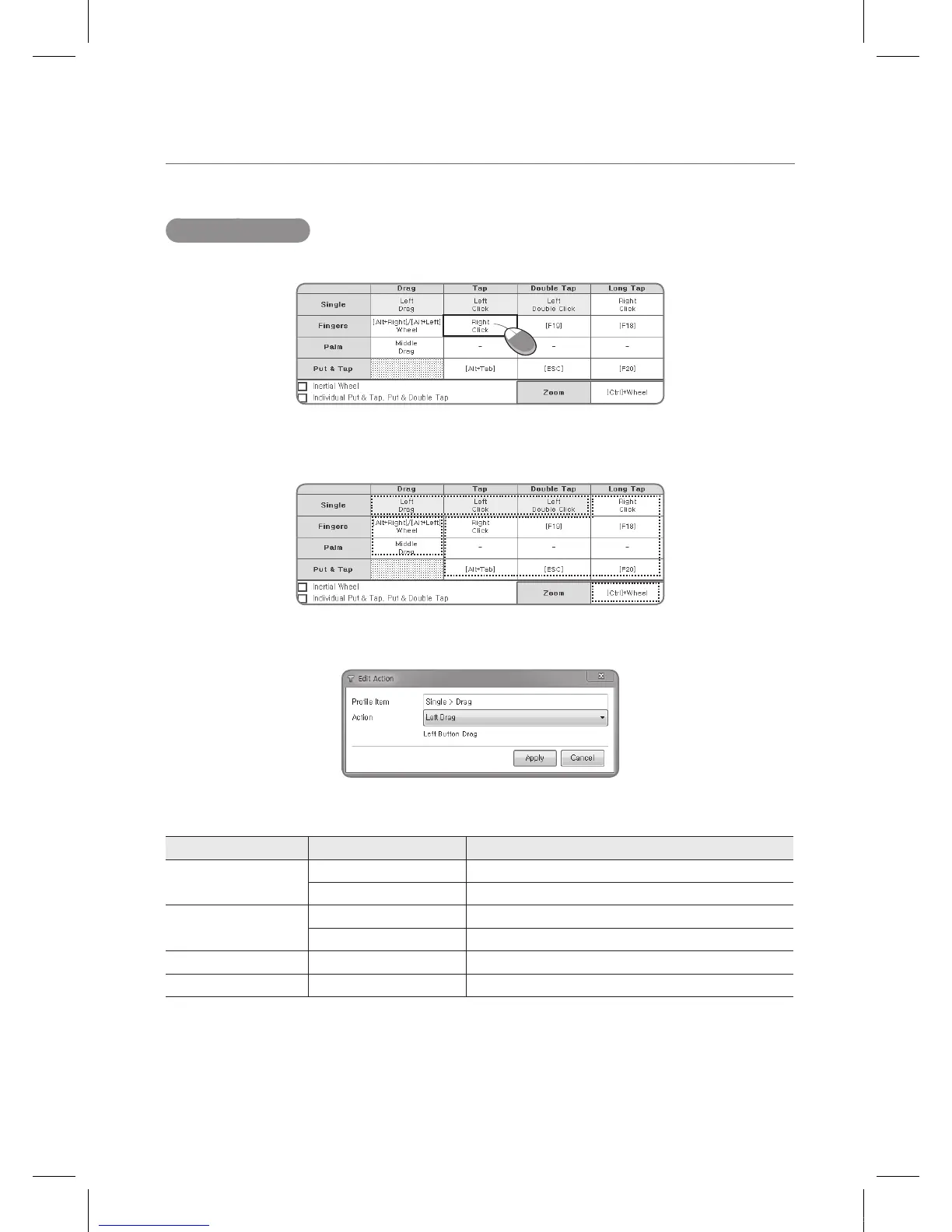
After selecting a profile, one can go and edit parts of the profile by clicking a type and an action.
There are four different editable types in each profile and each item has a different set of
changes one can make. Each is explained below.
A
D
B
C
A. Editing the Single > Drag, Tap, and Double Tap type
There are limited actions that one can select from each Profile. The following is the detailed
editable actions present for the Single > Drag, Tap, and Double Tap type.
Type
Actions Explanation
Single > Drag (Disabled) -
Left Drag Press the left mouse button and drag
Single > Tap (Disabled) -
Left Click Click the left mouse button
Single > Double Tap (Disabled) -
Left Double Click Double click the left mouse button
Caveat: Selecting Disabled for all Single > Drag, Tap, and Double Tap may make the touch
functionality not work properly.
IEB_UM_Vidi_Euro.indd 25 2013-03-11 오후 1:27:46



 To Next Page