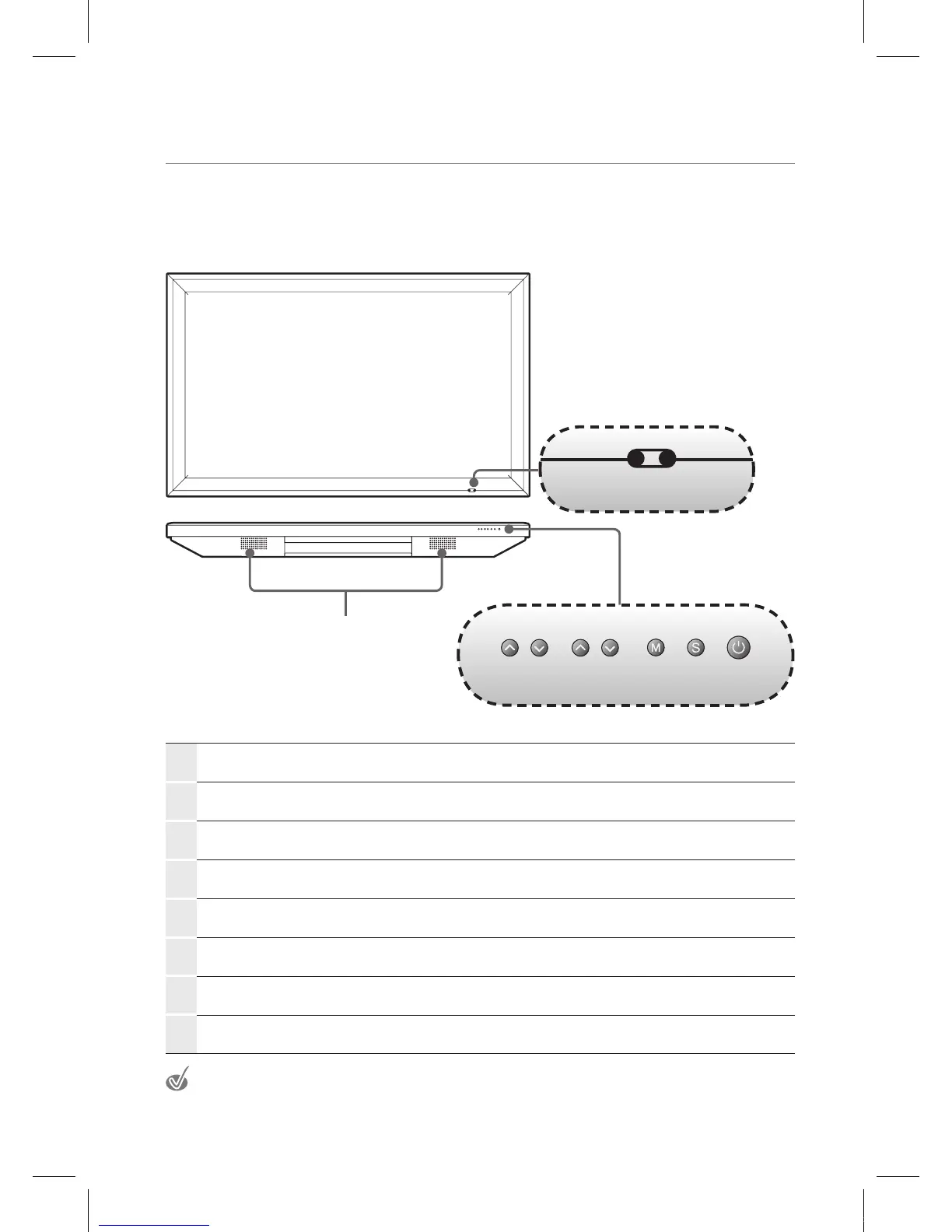
Viewing the control panel
1
VOL ▲/▼
Adjusts the volume.
In the menu screen, adjust menu settings.
2
PR ▲/▼ Selects a menu item.
3
MENU
Displays a menu.
4
INPUT
Displays all the inputs.
5
Standby
Toggles between normal and standby modes.
6
Power LED
Blue: In power on mode.
Red: In standby mode.
7
Remote control sensor
Aims the remote control towards this spot on the IEB.
8
Speaker
The illustrations may differ slightly from the items shipped with your product.
6 7
1 2 3 4 5
8
IEB_UM_Vidi_Euro.indd 7 2013-03-11 오후 1:26:59



 To Next Page