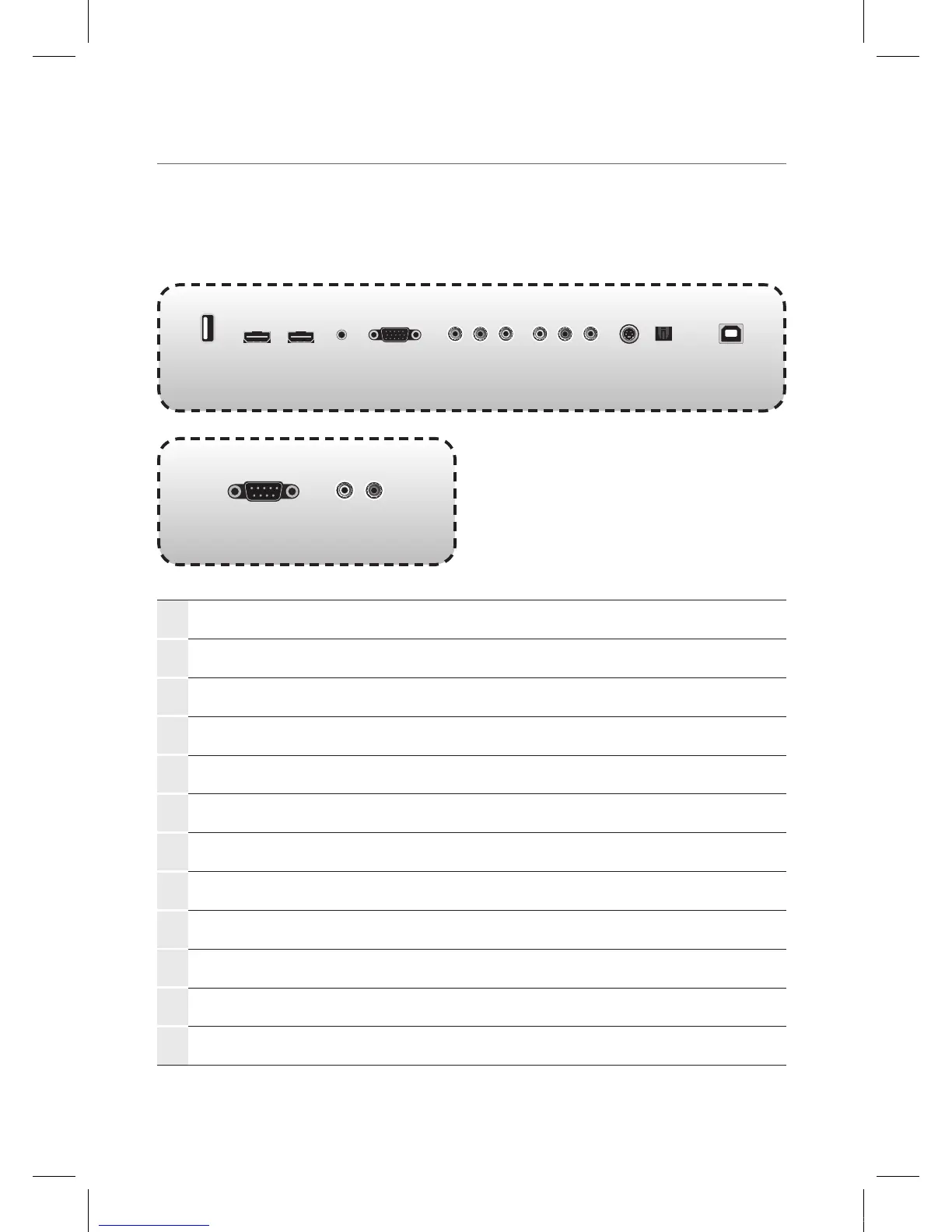
Viewing the connection panel
1
USB
Connect USB memory for MP3 or JPEG.
2
HDMI
Connect an HDMI device to this jack.
3
PC Audio
Audio input for PC.
4
PC
Connect a video from a computer to this jack.
5
Component
Connect a component video device to this jack.
6
Audio
Audio input for component, video and S-Video.
7
Video
Connect a video device to this jack.
8
S-Video
Connect a S-Video device this jack.
9
Digital Audio output
Optical digital audio output.
0
Sensor USB
Connect PC USB for touch screen.
!
RS232C
Connect the controller.
@
Audio output
Connect to external audio amplifier.
1 2 3 4 5 6 87 9 0
! @
IEB_UM_Vidi_Euro.indd 8 2013-03-11 오후 1:27:00



 To Next Page