19
5461 885 - 04
Vitodens 200-W B2HA/B2HB, 222-F B2TA/B2TB Operating
Heating
Changing the Heating Curve
Your system’s heating characteristics are affected by the
slope and the level of the selected heating curve. Further
information about the heating curve can be found under
“Terminology” on page 40.
Factory setting:
H Slope: 1.4
H Heating curve level: 0
H Standard room temperature (set value): 68°F (20ºC)
H Reduced room temperature (set value): 65°F (18°C)
Extended menu:
1.
2. “Heating”
3. Select the heating circuit if necessary (see page 16)
4. “Heating curve”
5. “Slope” or “Level”
Note: Tips on when and how to change the heating
curve slope and level are displayed by pressing
?
.
6. Set the required value
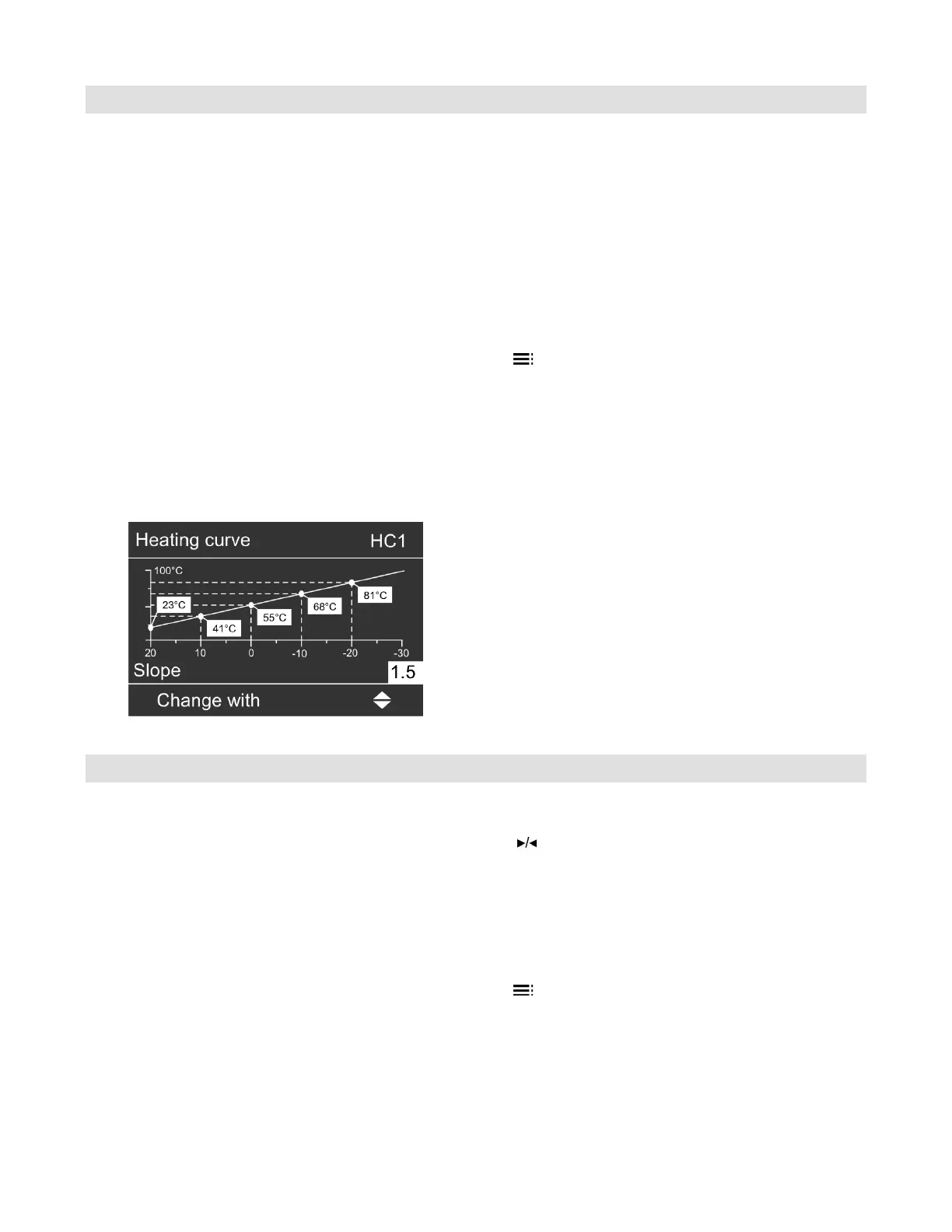
Example:
Change the heating curve slope to 1.5.
A graph clearly shows the change in the heating curve
as soon as you alter the value for the slope or level.
Depending on various outside temperatures (shown on
the horizontal axis), the assigned set flow temperatures
for the heating circuit are highlighted white.
Stopping the Central Heating
For the heating circuit displayed in the header
Standard menu:
1. for the heating program
“Only DHW” (summer mode, no central heating)
or
“Standby mode” (frost protection monitoring)
2.
OK
to confirm
For the other heating circuits
Extended menu:
1.
2. “Heating”
3. Select the heating circuit if necessary (see page 16)
4. “Heating program”
5. “Only DHW” (summer mode, no central heating)
or
“Standby mode” (frost protection monitoring)





 To Next Page