27
5461 885 - 04
Vitodens 200-W B2HA/B2HB, 222-F B2TA/B2TB Operating
Setting the Display Contrast
Additional Adjustments
Extended menu:
1.
2. “Settings”
3. “Contrast”
4. Set the required contrast.
If you would like the texts in the menu to be more clearly
legible, change the brightness for “Control”.
You can also alter the screen saver brightness.
Extended menu:
1.
2. “Settings”
3. “Brightness”
4. “Control” or “Screen saver”
5. Set the required brightness.
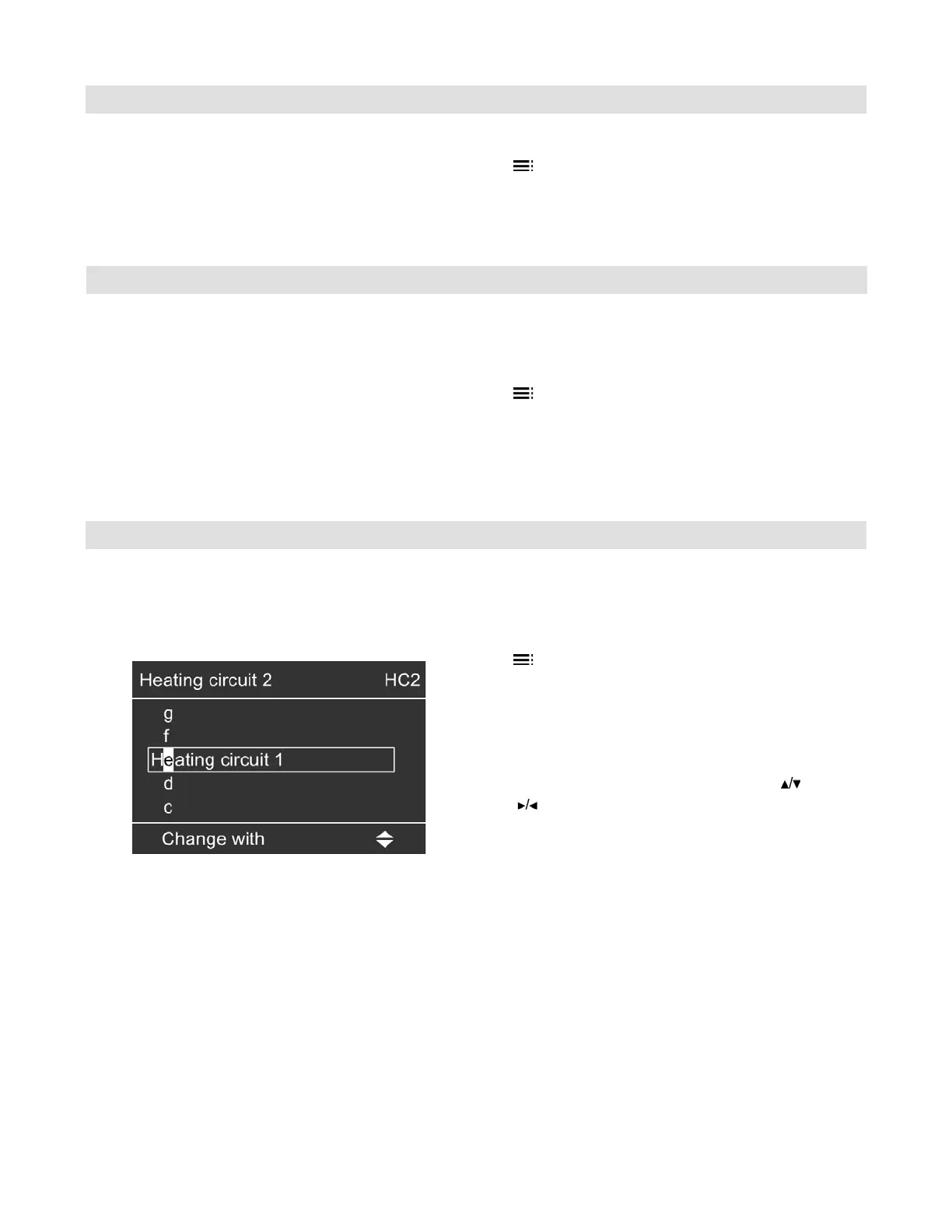
You can give heating circuits 1, 2 and 3 (“HC1”, “HC2”
and “HC3”) individual names. The abbreviations “HC1”,
“HC2” and “HC3” will be retained.
Extended menu:
1.
2. “Settings”
3. “Name for heating circ.”
4. “Heating circuit 1”, “Heating circuit 2” or “Heating
circuit 3”
5. “Change?”
6. You can select the required symbol with .
7. takes you to the next character.
8. Press
OK
to accept all entered characters at once
and simultaneously exit this menu.
Setting the Display Brightness
Entering Names for the Heating Circuits





 To Next Page