8
Control device for the Vitotrol Plus app
Smartphone or tablet with the following operating sys-
tems:
■
Apple iOS, version 8 or higher
or
■
Google Android, version 4.4 or higher
Message destinations
End device for receiving email, e.g. computer, smart-
phone or tablet.
Operation via apps
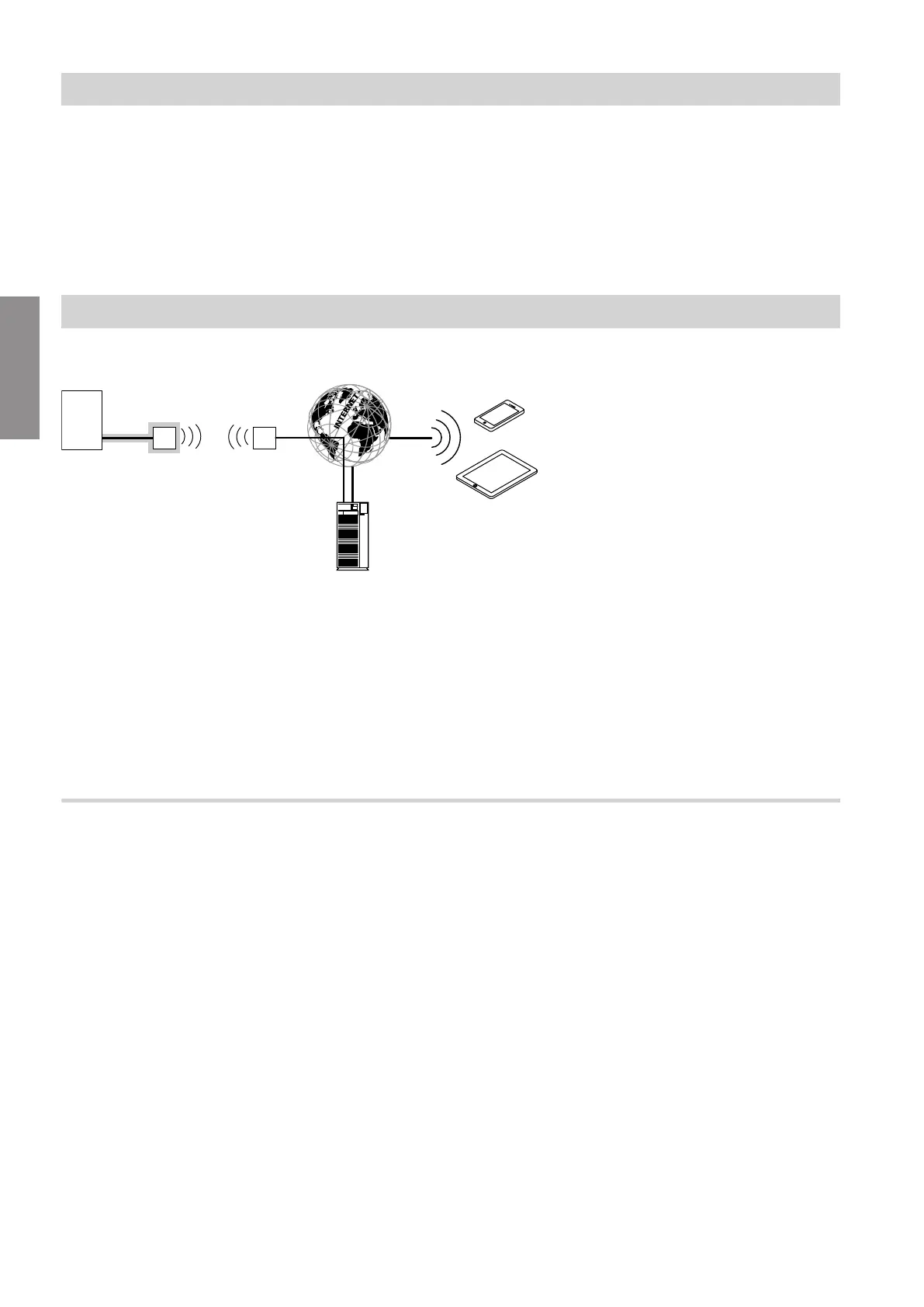
For remote control of Viessmann heating systems with Vitotronic control units via IP networks.
Fig. 1
A
Heat generator with control unit
B
Connecting lead Optolink/USB
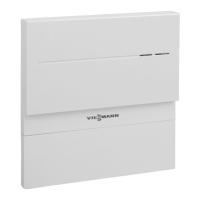
C
Vitoconnect 100
D
WLAN
E
WLAN router (on site)
F
Secure internet connection to the Viessmann
server
G
Viessmann server
H
Mobile network
or
WLAN connection
K
Web-enabled control device
Functions
ViCare app control functions
■
Display of system status for system user
■
Easy to use remote operating function, e.g. adjusting
the set room temperature or operating mode
■
Modifying the heating periods via switching time
assistant
■
Quick selection keys for party and reduced mode
("Extended heating" and "Away")
■
Reporting of faults by push notification
■
Automatically stored contact details for heating con-
tractor
■
Fault description in plain text
■
Operating data of the system can be integrated in
Vitoguide for contractors
■
Easy transmission of system data, e.g. fault mes-
sages via email or telephone communication with the
heating contractor
■
Energy saving tips
Note
■
The ViCare app enables users to access only one
system at a time using an end device.
■
For further information on the ViCare app, see
www.vicare.info
Vitotrol Plus app control functions
■
Remote control of all heating circuits in a heating
system
■
Setting operating programs, set values and time pro-
grams (central heating and DHW heating)
■
Calling up system information
■
Displaying messages in plain text
■
Automatic forwarding of messages via email
■
Displaying consumption data
■
Integral showcase function
Note
For further information on the Vitotrol Plus app, see
www.vitotrol.info
Preparing for installation
System requirements (cont.)
5785 665 GB
Installation



 To Next Page