7
Heating system
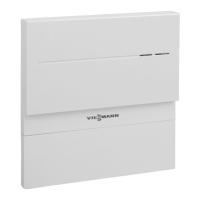
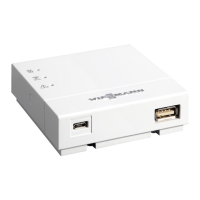
The Vitoconnect 100, type OPTO1 can be used for one
single boiler system with Vitotronic control unit, without
heating circuits downstream.
Supported control units
The Vitoconnect 100, type OPTO1, can be used in
conjunction with the following Viessmann control units.
Heat generator
Wall mounted or storage
combi boilers
Floorstanding boilers Heat pumps and hybrid
appliances
Solid fuel boilers
Supported control units
Vitotronic 200, type
■
HO1
■
HO1A
■
HO1B
■
HO1D
■
HO2B
Vitotronic 200-RF, type
■
HO1C
■
HO1E
Vitotronic 200, type
■
KO1B
■
KO2B
■
KW1
■
KW2
■
KW4
■
KW5
■
KW6
■
KW6A
■
KW6B
Vitotronic 300, type
■
KW3
See www.viessmann.com/vitoconnect
Note
For an up to date overview of the supported control
units see www.viessmann.com/vitoconnect.
IP network
System requirements
■
WLAN router with activated WLAN. The WLAN
router of the system user must be protected by a suf-
ficiently secure WPA2 password. We advise against
unencrypted connection of the Vitoconnect 100 to a
WLAN router.
■
Internet connection with "flat rate" (tariff independ-
ent of time and data volume) and high availability,
i.e. the Vitoconnect 100 is permanently linked to the
Viessmann server.
■
Dynamic IP addressing (DHCP, factory setting) on
the network (WLAN) must be checked and, if
required, set up on site by an IT expert before com-
missioning.
■
Set routing and security parameters in the IP net-
work (LAN): Enable port 80 and port 443 for direct
outbound connections. Have this checked and, if
necessary, set up on site by an IT expert before
commissioning.
Note
During operation, the Vitoconnect 100 establishes a
secure internet connection to the Viessmann server.
Connecting the Vitoconnect 100 to any other type of
server is not possible.
User account
A valid user account on the Viessmann server is
required for the operation of the Vitoconnect 100, irre-
spective of which control device is used. Registration
for this occurs automatically during commissioning,
either via the ViCare app or via the Vitotrol Plus app
(see page 14).
Control device for ViCare app
Smartphone or tablet with the following operating sys-
tems:
■
Apple iOS, version 8 or higher
or
■
Google Android, version 4.4 or higher
Preparing for installation
System requirements
5785 665 GB
Installation




 To Next Page