8
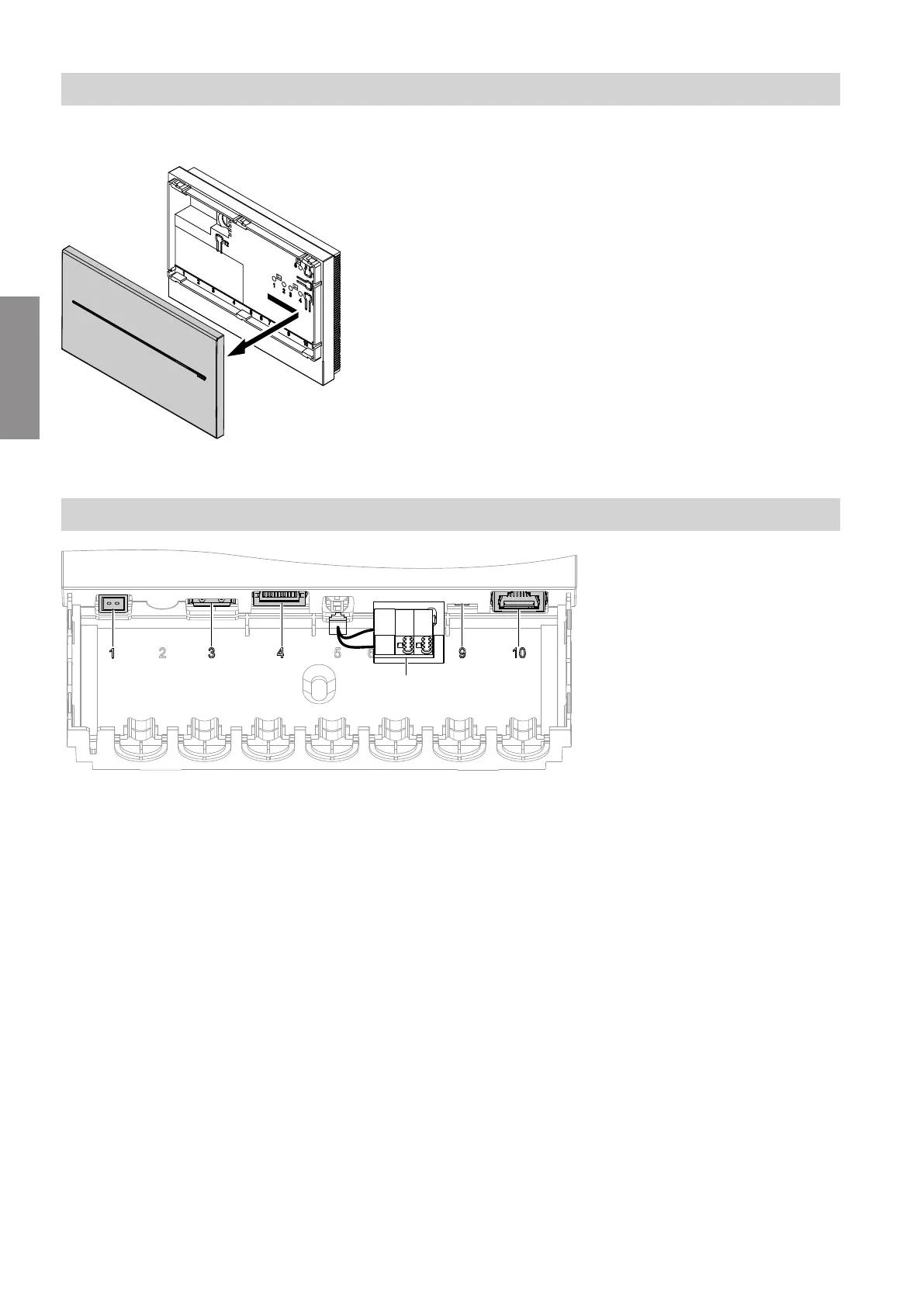
Removing the cover
Fig. 2
!
Please note
When the power supply is connected, touching
electrical contacts can result in appliance dam-
age.
Always unplug the power supply unit before
removing the cover.
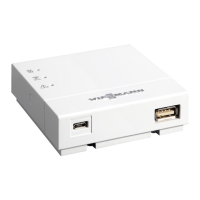
Overview of connections
Fig. 3
"1" Plug-in power supply unit connection, 5 V–, inter-
nal "–", external "+", min. 0.4 A
"3" Service interface: Never make any on-site con-
nections
"4" Connection for Ethernet cable (KNXnet/IP)
"9" LON terminator, enabled in the delivered condi-
tion (position of switch left)
Never adjust
"10" Connection for LON cable
A
Connection for KNX TP cable
Installation sequence
Installing the Vitogate 200, type KNX (cont.)
5673180
Installation


 To Next Page