9
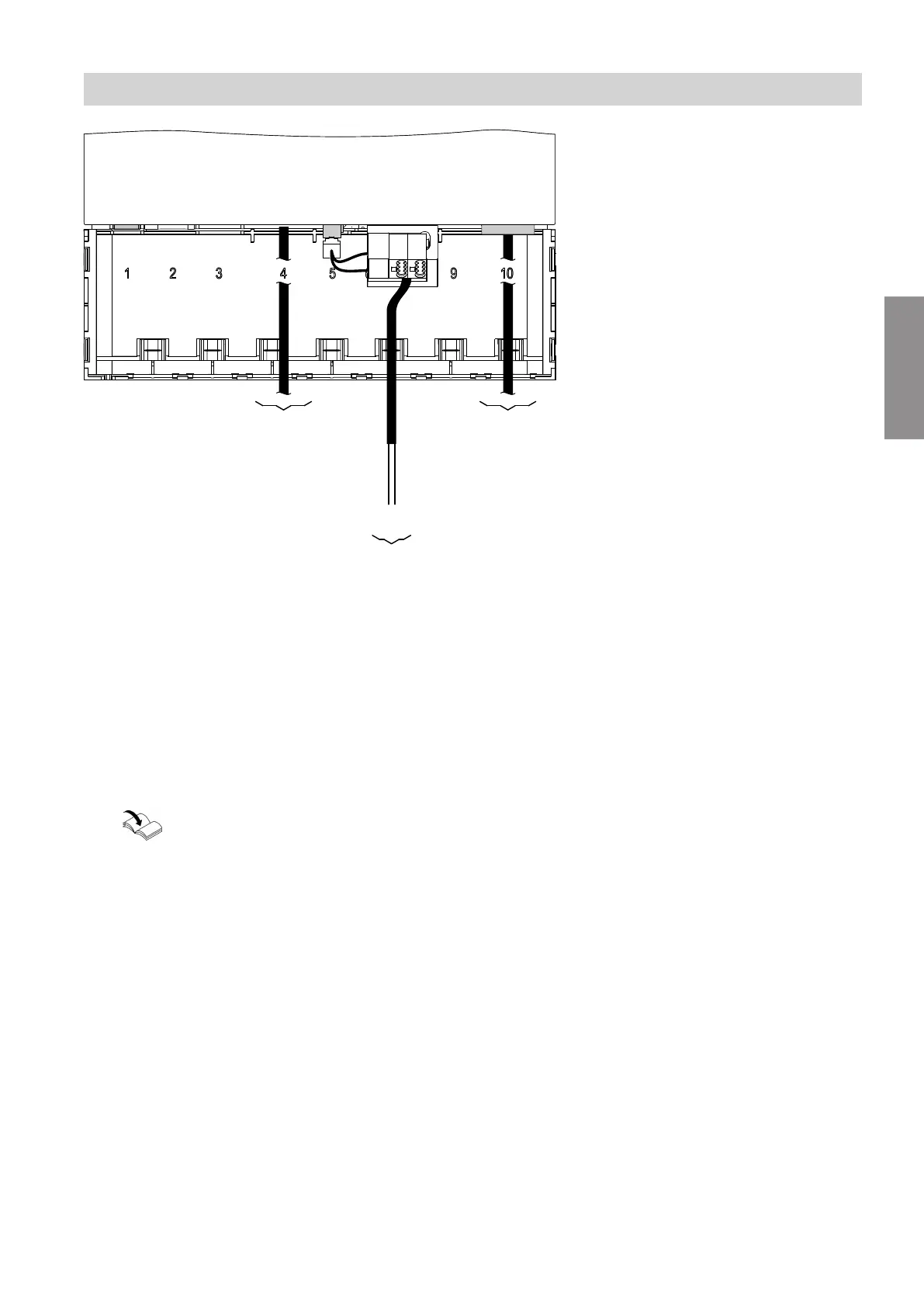
Fig. 4
A
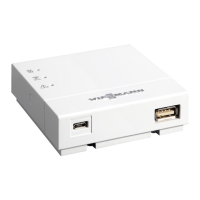
Vitogate 200, type KNX
B
LON cable to the Vitotronic control unit
C
KNX TP connecting cable
Colour coding to IEC 60757
BK (–) Black
RD (+) Red
D
Ethernet connecting cable (KNXnet/IP)
1.
Connecting the LON cable
B
■
Vitogate 200, type KNX:
Connection "10"
■
Vitotronic control unit:
Connection to the LON communication module
Vitotronic control unit installation and serv-
ice instructions
or
Communication module installation
instructions
Note
The Vitogate 200 has an integral terminator (con-
nection "9"), so integrate the Vitogate 200 as the
first or last LON subscriber.
2.
Connecting the KNX TP cable
C
!
Please note
If the core assignment is incorrect, data
exchange will not take place.
Never interchange cores.
3.
Connecting the Ethernet cable (KNXnet/IP)
D
Note
At least 2 connecting cables must be connected:
■
The LON cable must always be connected.
■
At least one of the two other connecting cables must
always be connected:
KNX TP connecting cable
and/or
Ethernet connecting cable (KNXnet/IP)
Installation sequence
Connecting the Vitogate 200, type KNX
5673180
Installation


 To Next Page