15
programmed play or select “EXIT” to exit the program. (If you setup a
disc playing order over 10, press the
“ ” to continue to the next
program screen.)
If you are playing the MP3 disc, when Filelist is on the screen, select the files
and press program button (
PROGRAMPROGRAM
PROGRAMPROGRAM
PROGRAM) to add the files to the program list.
Press menu button (
MENUMENU
MENUMENU
MENU) to display the program list then press program
button (
PROGRAMPROGRAM
PROGRAMPROGRAM
PROGRAM) to delete unwanted files from the program list.
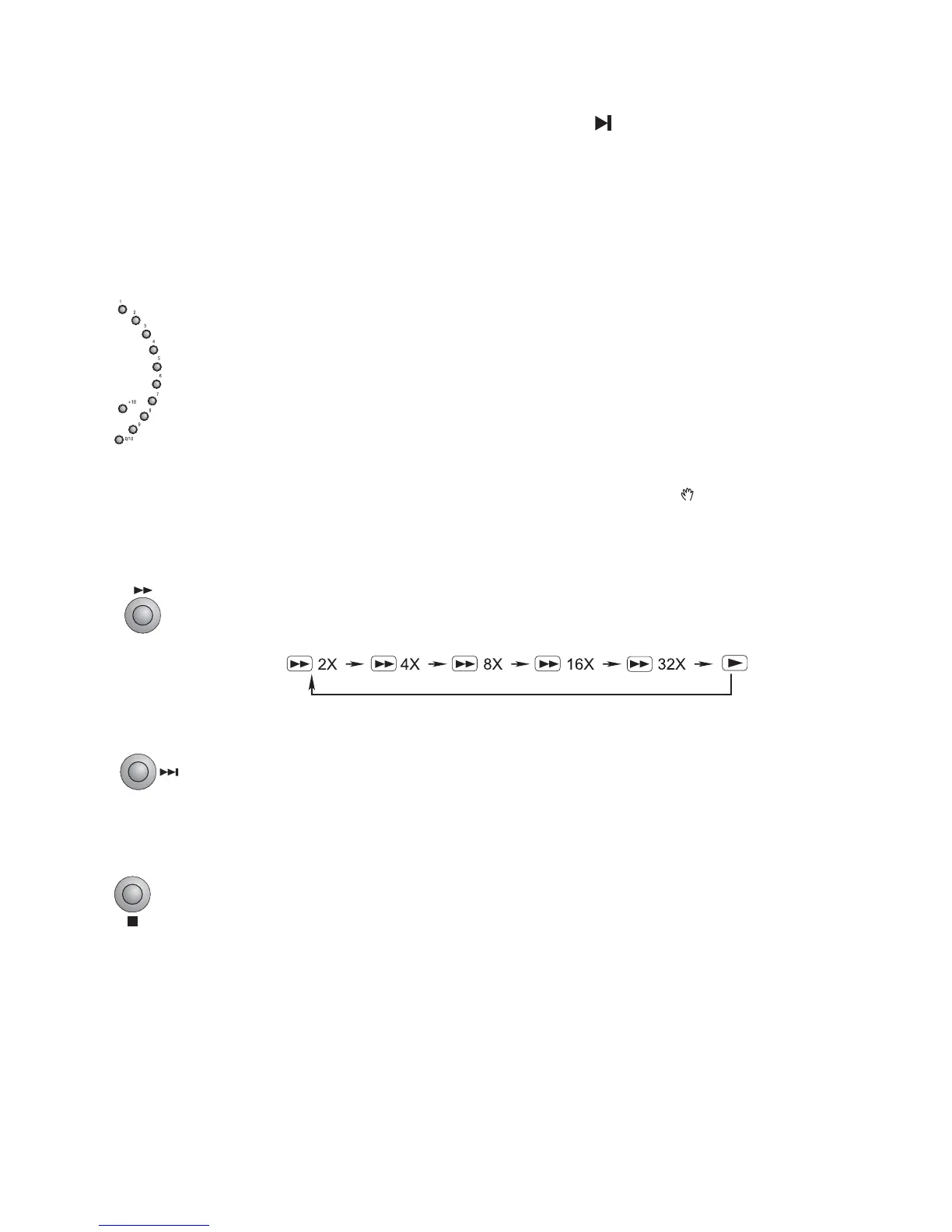
27. Load a Video CD disc in PBC OFF mode (the MENU button turns the PBC
function ON/OFF), you can select tracks or chapters by number buttons (
0/10,0/10,
0/10,0/10,
0/10,
1-9,10+1-9,10+
1-9,10+1-9,10+
1-9,10+
) and play.
If the track or chapter number is less than 10, press the
0/10,1-90/10,1-9
0/10,1-90/10,1-9
0/10,1-9 buttons.
If the track or chapter number is over 10, press
10+10+
10+10+
10+ button and press the one
of the
0/10,1-90/10,1-9
0/10,1-90/10,1-9
0/10,1-9 buttons.
Note:Note:
Note:Note:
Note: If the track or chapter number over 20, press
10+10+
10+10+
10+ button twice and
press the one of the
0/10,1-90/10,1-9
0/10,1-90/10,1-9
0/10,1-9 buttons. If the search track or chapter
number exceeds the total number on the disc, the “ ” will display on TV
screen, indicating the operation is invalid or incorrect.
28. Press the fast forward button (C) once by once to select one of the variety
different speed to fast forward play or select normal speed to play. Each time
you press the button, the screen shows orderly.
Note:Note:
Note:Note:
Note: Press the BF button to resume normal playback.
29. When playing DVD disc, press the next button (G) to skip the next chapter or
title.
When playing a CD, press the next button (G) to skip the next track.
(You can also operate the key “G” on the unit.)
30.
Press the stop button (L) to stop playing, the unit will store the last playing time
in the memory automatically, then press the play/pause button (BF), the unit
will resume to last memory time and continue playback automatically.
If you press the stop button (L) twice to stop the disc playing.
(You can also operate the key “L” on the panel of the unit.)


 To Next Page