39
W
a
l
l
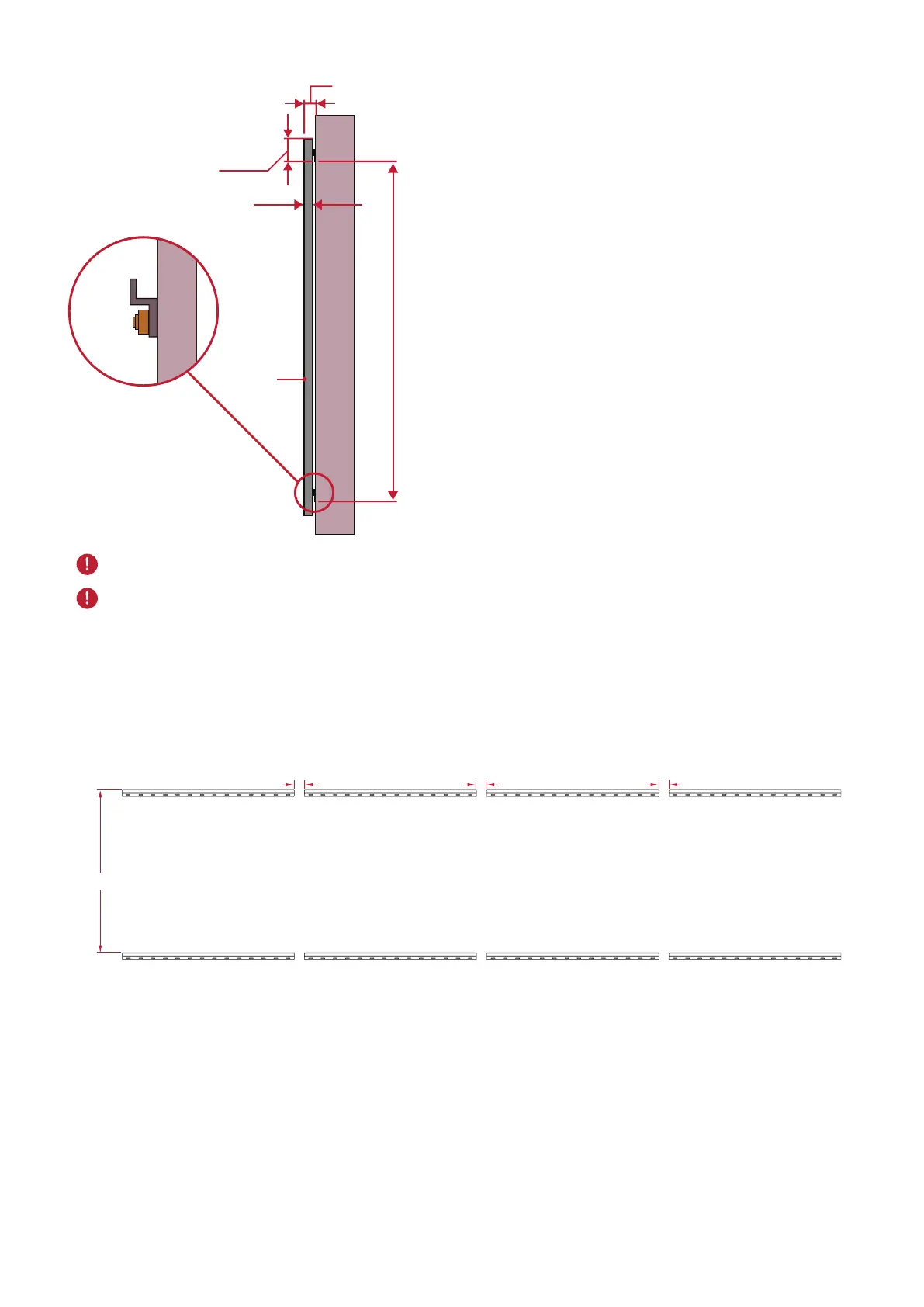
Display
mm
3.031 in
35 mm
1.378 in
93.01 in
4.016 in
102 mm
2362.5 mm
NOTE:
You can also install the Upper
Wall Mount Brackets, hang
the screen, and then install
the Lower Wall Mount
Brackets for a more precise
t.
Ensure the wall can safely support 749.57 lbs. (340 kg).
Ensure the deviaon of the wall surface is < ¹³/₆₄" (< 5 mm).
6. Repeat Steps 1~5 for the second display. Keep a ⁴¹/₆₄" (16.35 mm) space between
the rst and second display's Wall Mount Brackets.
7. Aer installing both Upper and Lower Wall Mount Brackets of both displays, the
installaon wall should look like:
4 ²⁹/₆ ₄ in
4 ²⁹/₆ ₄ in
⁴¹/₆ ₄ in
93 in



 To Next Page