EasyManua.ls Logo

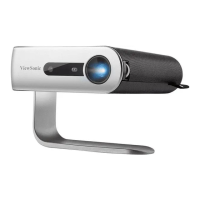
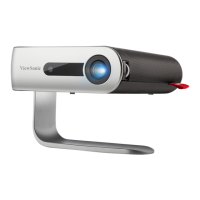
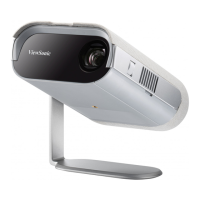
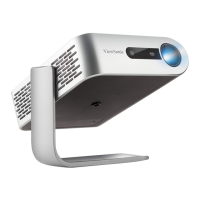
ViewSonic M2 - User Manual

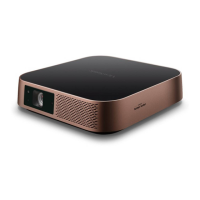
ViewSonic M2
108 pages
Print Icon
To Next Page IconTo Next Page
Loading...
M2
Lamp Free Smart Theater
User Guide
Model No. VS17808
P/N: M2
IMPORTANT: Please read this User Guide to obtain important information on installing and using your product in
a safe manner, as well as registering your product for future service. Warranty information contained in this User
Guide will describe your limited coverage from ViewSonic® Corporation, which is also found on our web site at
http://www.viewsonic.com in English, or in specific languages using the Regional selection box in the upper right
corner of our website. “Antes de operar su equipo lea cu idadosamente las instrucciones en este manual”

Table of Contents

Questions and Answers

  • M
    Mitchell MooreJul 28, 2025
    What to do if my ViewSonic Projector does not turn on?
    • J
      Joshua KleinJul 28, 2025
      If your ViewSonic Projector isn't turning on, make sure the power cord is securely connected to both the projector and the power outlet. Also, if the cooling process is still running, wait for it to complete before attempting to turn the projector on again. As an additional step, try using a different power outlet or testing the current outlet with another electrical device.
  • D
    David FisherAug 5, 2025
    What to do if ViewSonic Projector remote control does not work?
    • T
      Tammy GillAug 5, 2025
      If the remote control for your ViewSonic Projector isn't working, first ensure that there are no obstructions between the remote and the projector, and that they are within 8 meters (26 feet) of each other. Also, check the batteries in the remote control and replace them if necessary.
  • R
    Robert AndersonAug 12, 2025
    Why is there no picture on my ViewSonic M2 Projector?
    • L
      lisa93Aug 13, 2025
      If there's no picture on your ViewSonic Projector, verify that the video source cable is properly connected and that the video source is powered on. If the input source isn't automatically selected, manually choose the correct source using the Source key on either the projector or the remote control.
  • P
    pwilsonAug 20, 2025
    How to fix a blurred image on ViewSonic Projector?
    • G
      greenpamelaAug 21, 2025
      To correct a blurred image on your ViewSonic Projector: * Use the remote control to adjust the focus, ensuring the projection lens is correctly focused. * Make sure the projector and screen are properly aligned. * If needed, adjust the projector's height, projection angle, and direction to optimize the image clarity.

Summary

Safety Precautions

Introduction

Connection Ports

Remote Control

Initial Setup

Making Connections

Making Connections: External Devices

Details connecting video/audio sources via HDMI/USB.

Using the Projector

Using the Projector: Startup

Guides for powering on and initial setup of the projector.

Using the Projector: Input Selection

How to select sources and adjust projected image settings.

Using the Projector: Shutdown

Procedures for safely turning off the projector.

Operating the Projector

Operating the Projector: Home Screen

Navigating and understanding the main interface of the projector.

Appendix

Appendix: Troubleshooting

Provides solutions for common problems encountered with the projector.

ViewSonic M2 Specifications

General IconGeneral
Matrix size0.33 \
Number of colors1.07 billion colors
Native aspect ratio-
Projection distance0.65 - 2.72 m
Vertical scan range24 - 120 Hz
Horizontal scan range30 - 97 kHz
Projection technologyLED
Contrast ratio (typical)3000000:1
Screen size compatibility24 - 100 \
Projector native resolution1080p (1920x1080)
Keystone correction, vertical-40 - 40 °
Keystone correction, horizontal-30 - 30 °
Service life of light source30000 h
Offset100 %
Throw ratio1.23
Fixed focal length9.251 mm
Focal length range- mm
Aperture range (F-F)1.7 - 1.7
Full HDYes
Supported video modes480i, 480p, 576i, 576p, 720p, 1080i, 1080p, 2160p
Supported graphics resolutions640 x 480 (VGA), 3840 x 2160
InteractiveNo
Noise level26 dB
Number of OSD languages23
Noise level (economic mode)24 dB
On Screen Display (OSD) languagesARA, CHI (SIMPL), CHI (TR), CZE, DEU, DUT, ENG, ESP, FIN, FRE, GRE, IND, ITA, JPN, KOR, POL, POR, RUS, SWE, THA, TUR, VIE
Compatible memory cardsMicroSD (TransFlash), MicroSDXC
Maximum memory card size64 GB
Internal storage capacity16 GB
Audio (L/R) in0
HDMI connector typeFull-size
USB 2.0 ports quantityUSB 2.0 ports have a data transmission speed of 480 Mbps, and are backwards compatible with USB 1.1 ports. You can connect all kinds of peripheral devices to them.
Bluetooth version4.0
PlacementDesktop, Ceiling
Product typeShort throw projector
Product colorBlack, Gold
Market positioningPortable
RMS rated power6 W
Number of built-in speakers2
Power sourceAC
AC input voltage100-240 V
AC input frequency50 - 60 Hz
Power consumption (standby)0.5 W
Power consumption (typical)74 W
Operating temperature (T-T)0 - 40 °C
Operating relative humidity (H-H)0 - 90 %
Cables includedAC, USB Type-C
Harmonized System (HS) code85286200
Weight and Dimensions IconWeight and Dimensions
Width224 mm
Height51 mm
Weight1320 g
Package depth151 mm
Package width286 mm
Package height284 mm
Package weight3150 g

Related product manuals