EasyManua.ls Logo

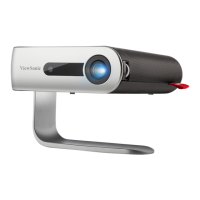
ViewSonic M1 G2 - User Manual

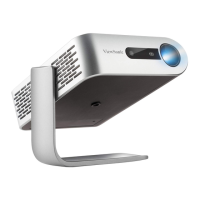
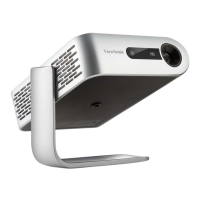
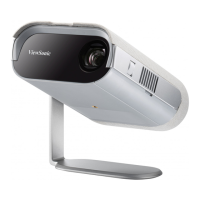
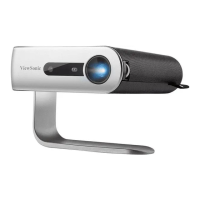
ViewSonic M1 G2
71 pages
Print Icon
To Next Page IconTo Next Page
Loading...
M1_G2
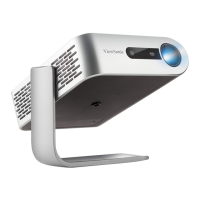
Portable LED Projector
User Guide
Model No. VS18241
P/N: M1_G2
IMPORTANT: Please read this User Guide to obtain important information on installing and using your product in
a safe manner, as well as registering your product for future service. Warranty information contained in this User
Guide will describe your limited coverage from ViewSonic® Corporation, which is also found on our web site at
http://www.viewsonic.com in English, or in specific languages using the Regional selection box in the upper right
corner of our website. “Antes de operar su equipo lea cu idadosamente las instrucciones en este manual”

Table of Contents

Questions and Answers

  • D
    David MooreJul 29, 2025
    What to do if my ViewSonic Projector does not turn on?
    • B
      brandon39Jul 29, 2025
      If your ViewSonic Projector doesn't turn on, first ensure the power cord is properly attached to both the projector and the power outlet. If the cooling process is still running, wait for it to complete before attempting to turn the projector on again. Try a different power outlet or test the current outlet with another electrical device. Also, check the battery level or connect the power adapter. If the projector repeatedly turns off and on, switch it off and charge the battery for at least 30 minutes.
  • N
    Nicholas OwensAug 5, 2025
    Why is my ViewSonic Projector remote control not working?
    • K
      Kristen MoralesAug 5, 2025
      If your ViewSonic Projector's remote control isn't working, make sure there are no obstructions between the remote and the projector, and that you're within 8 meters (26 feet). Also, check the batteries and replace them if necessary.
  • A
    Ashley KellyAug 11, 2025
    How to fix no picture on ViewSonic M1 G2 Projector?
    • R
      Randall HarrisAug 11, 2025
      If there's no picture on your ViewSonic Projector, first ensure the video source cable is properly connected and the video source is turned on. If the input source isn't automatically selected, use the Source key on the projector or remote control to select the correct source.
  • W
    wrightallenAug 16, 2025
    How to fix a blurred image on ViewSonic M1 G2 Projector?
    • J
      jonesmarissaAug 16, 2025
      To fix a blurred image on your ViewSonic Projector, try adjusting the Focus Ring to correctly focus the projection lens. Also, ensure the projector and screen are properly aligned. Adjust the projector's height, projection angle, and direction if needed.
  • L
    Louis WilsonAug 22, 2025
    What to do if ViewSonic Projector is frozen?
    • C
      Christina MooreAug 22, 2025
      If your ViewSonic Projector is frozen and unresponsive, toggle the Power Switch off and on to reset the device.

Summary

Safety Precautions

Projector Initial Setup

Location and Orientation

Guidance on choosing the optimal location and projection orientation.

Connecting Peripherals

Power Connections

Steps for connecting the projector to a power outlet or power bank.

External Device Connectivity

Guidance on connecting HDMI, USB, and Micro SD devices.

Projector Usage

Starting Up the Projector

Procedures for powering on the projector and opening its stand.

Image Adjustment

How to adjust projector height, angle, and focus for optimal viewing.

Operating the Projector

Troubleshooting and Maintenance Guide

Troubleshooting Common Problems

Solutions for issues like projector not turning on, no picture, or remote control failure.

Maintenance Procedures

Instructions for cleaning the lens and case, general precautions, and storage.

Regulatory Compliance

Service and Warranty Information

Projector Limited Warranty

Terms and conditions of the projector's limited warranty, coverage, and exclusions.

Mexico Specific Warranty

Specific warranty terms and conditions applicable to Mexico.

ViewSonic M1 G2 Specifications

General IconGeneral
BrandViewSonic
ModelM1 G2
CategoryProjector
LanguageEnglish

Related product manuals