24
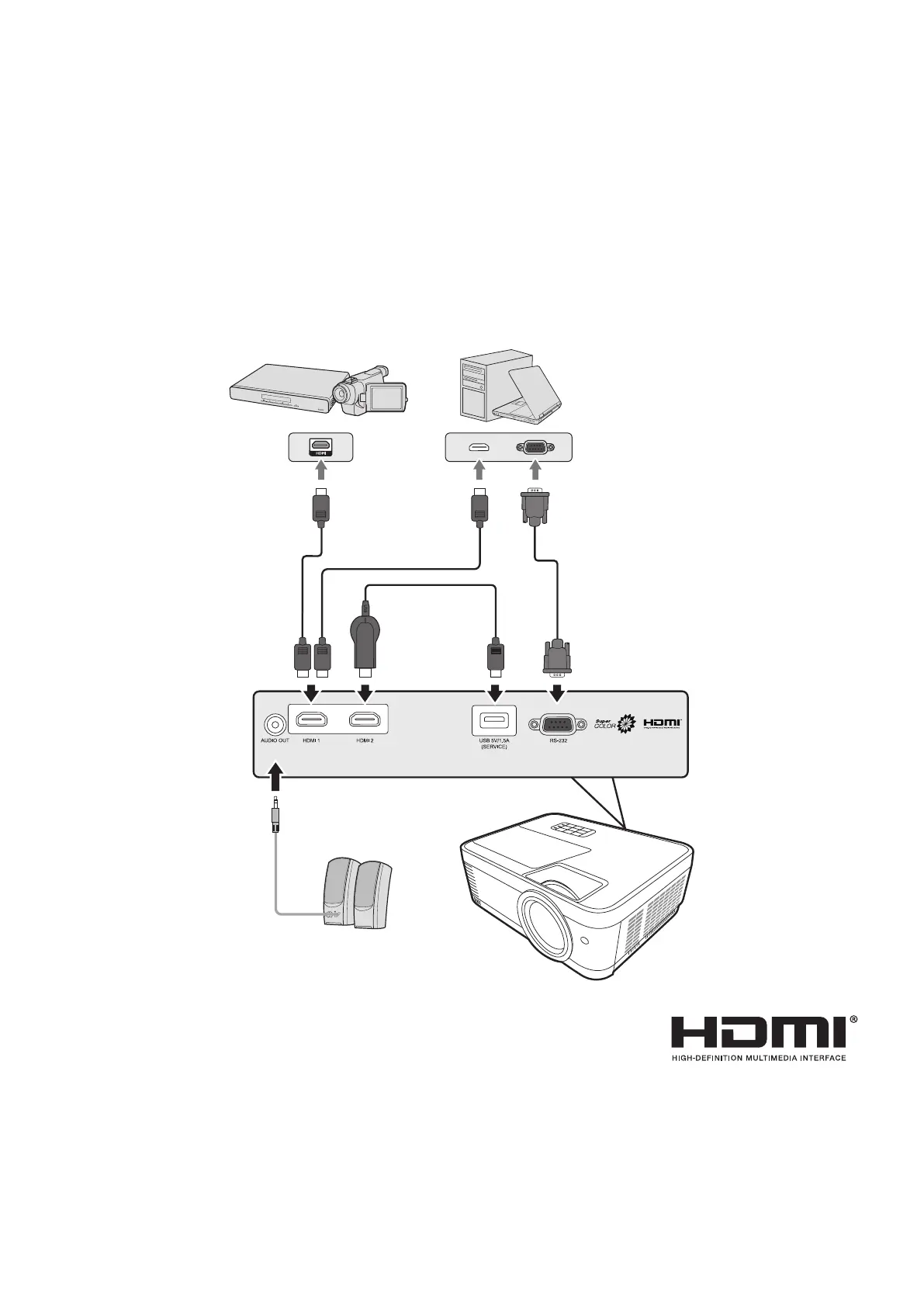
Connecting to Video/Computer Sources
HDMI Connection
Connect one end of an HDMI cable to the HDMI port of your video device. Then
connect the other end of the cable to the HDMI 1 or HDMI 2 port of your projector.
Connecting to Audio
The projector is equipped with speakers, however, you can also connect external
speakers to the AUDIO OUT port of the projector.
NOTE:
The audio output is controlled by the projector’s Volume and Mute sengs.




 To Next Page