EasyManua.ls Logo

ViewSonic VB-VIS-002 - User Manual

ViewSonic VB-VIS-002
36 pages
Print Icon
To Next Page IconTo Next Page
Loading...
VB-VIS-002
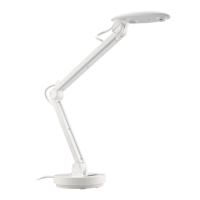
ViewSonic VB-VIS-002 Document Cam
User Guide

Other manuals for ViewSonic VB-VIS-002

Questions and Answers

  • K
    Kim BellAug 9, 2025
    What to do if ViewSonic Document Camera cannot be powered on?
    • E
      elizabethmarshallAug 9, 2025
      If your ViewSonic Document Camera isn't powering on, the USB cable may not be correctly connected, or the computer may have crashed. Try reconnecting the USB cable to the document camera. If that doesn't work, restart your computer.
  • G
    Garrett BridgesAug 13, 2025
    What to do if ViewSonic Document Camera has no image output after connecting?
    • W
      William SantosAug 13, 2025
      If there's no image output from your ViewSonic Document Camera after connecting it, the document camera might not be correctly connected to the computer. Try reconnecting the USB cable. Also, make sure the bundled software is installed on your computer and that you are using it to operate the document camera, as the application software might be incompatible.
  • E
    Erica JacobsonAug 19, 2025
    Why is my ViewSonic Document Camera image flickering?
    • M
      Marcia BrownAug 19, 2025
      Camera flickering problems with your ViewSonic Document Camera usually occur when there is a difference between the camera refresh rate setting and the artificial lighting refresh rate of the environment. Use the vDocCam software “Device setup” item to change the camera’s refresh rate.
  • K
    Kelly CordovaAug 25, 2025
    What to do if ViewSonic Document Camera image does not move?
    • G
      ggilmoreAug 25, 2025
      If the image from your ViewSonic Document Camera isn't moving, the computer or application software may have crashed. Restart the computer or application software.
  • T
    Tamara NelsonAug 29, 2025
    Why is the ViewSonic Document Camera image fuzzy?
    • C
      Caitlin SparksAug 29, 2025
      If the image from your ViewSonic Document Camera is fuzzy, the object might be too close to the lens. Press the AF button to auto focus.
  • M
    mcclurekathySep 2, 2025
    How to fix a loose arm on ViewSonic Document Camera?
    • T
      Troy BakerSep 2, 2025
      If the arm of your ViewSonic Document Camera is loose, use two coins to tighten the arm screws.

ViewSonic VB-VIS-002 Specifications

General IconGeneral
BrandViewSonic
ModelVB-VIS-002
CategoryDigital Camera
LanguageEnglish