22
How to install Chrome app manually
Step 1 Prepare your app le
a. If the App le is stored in the USB ash drive, please save the le to the
computer’s hard drive.
b. Unzip the App le and you will get a “vDocCam” folder.
Step 2 Manually install “vDocCam” app in your Chrome Browser
a. Open Chrome browser.
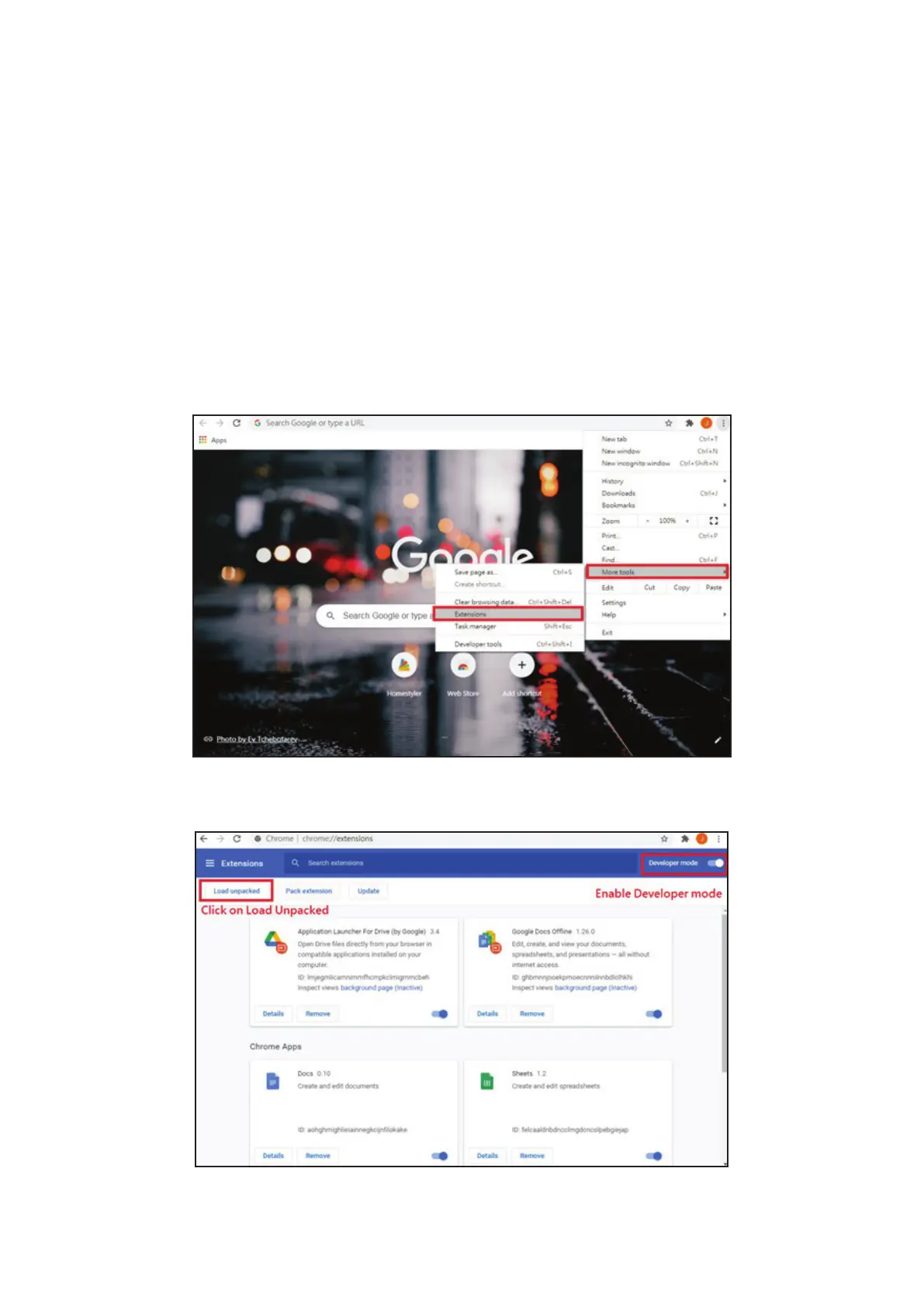
b. Click Chrome Sengs (three dots) on the upper-right corner.
c. Select “More Tools” and “Extensions”.
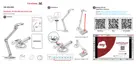
d. Enable “Developer mode”.
e. Click on “Load unpacked”


 To Next Page