18
Chapter 3: Playback Mode
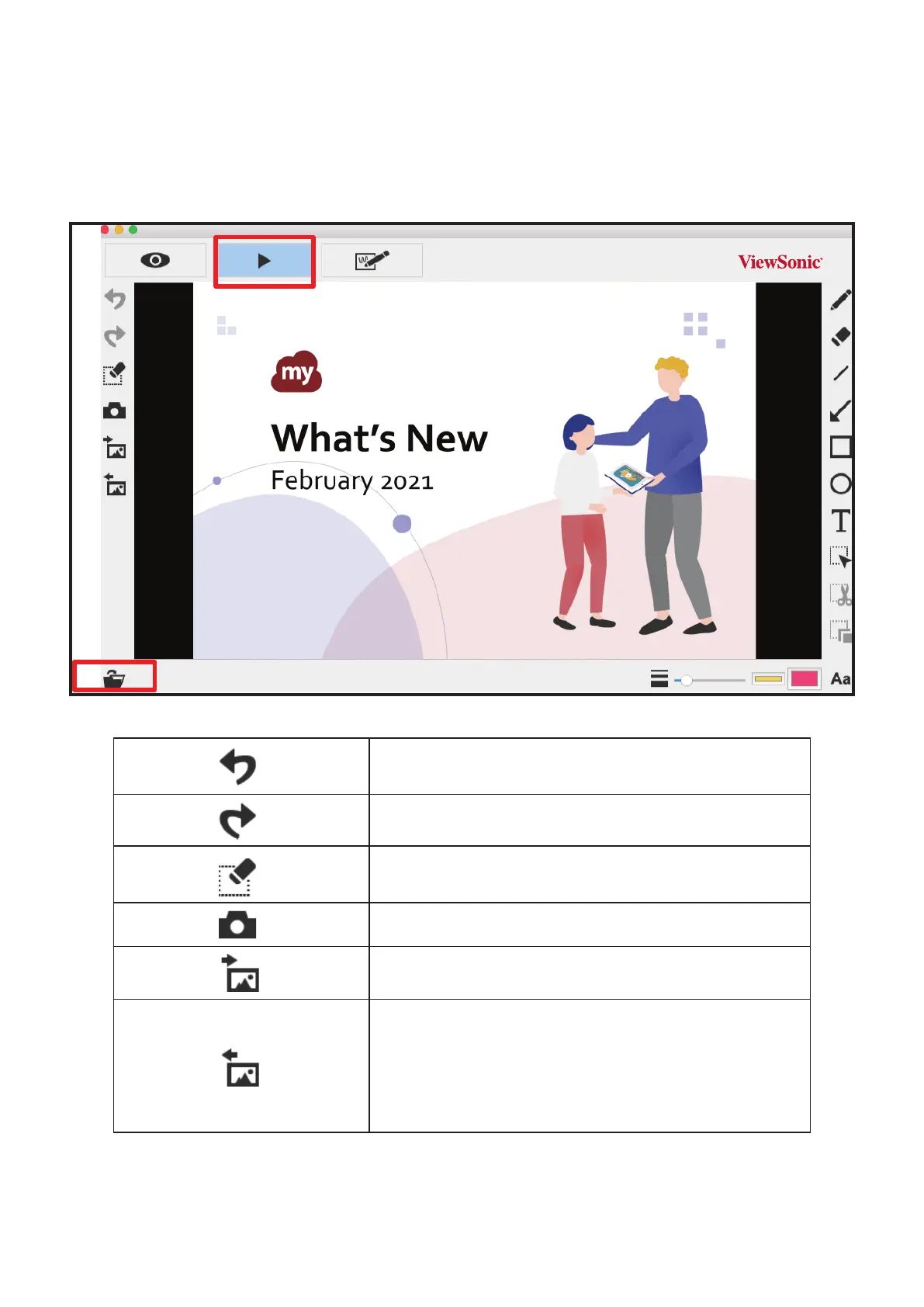
Images captured by the document camera, saved from the drawing board mode
(see Chapter 4) and images in your computer can be opened in the Playback mode.
Addionally, the images opened here can be further edited with the funcons listed
on the le, lower and right bar.
Undo
Redo
Erase all or erase the selected area
Snapshot
Capture the image and save it as a JPG file
Import an image file
Import a JPG or PNG file from your computer
Export your drawing
Export the things (without the background view), such as
annotations, texts, and drawings you create in this mode. (1) You
can select the area, export and save it as a PNG file onto your
computer. (2) If you do not select the area and use the export
function, the things you create in the whole view area will be
exported as a PNG file.


 To Next Page