19
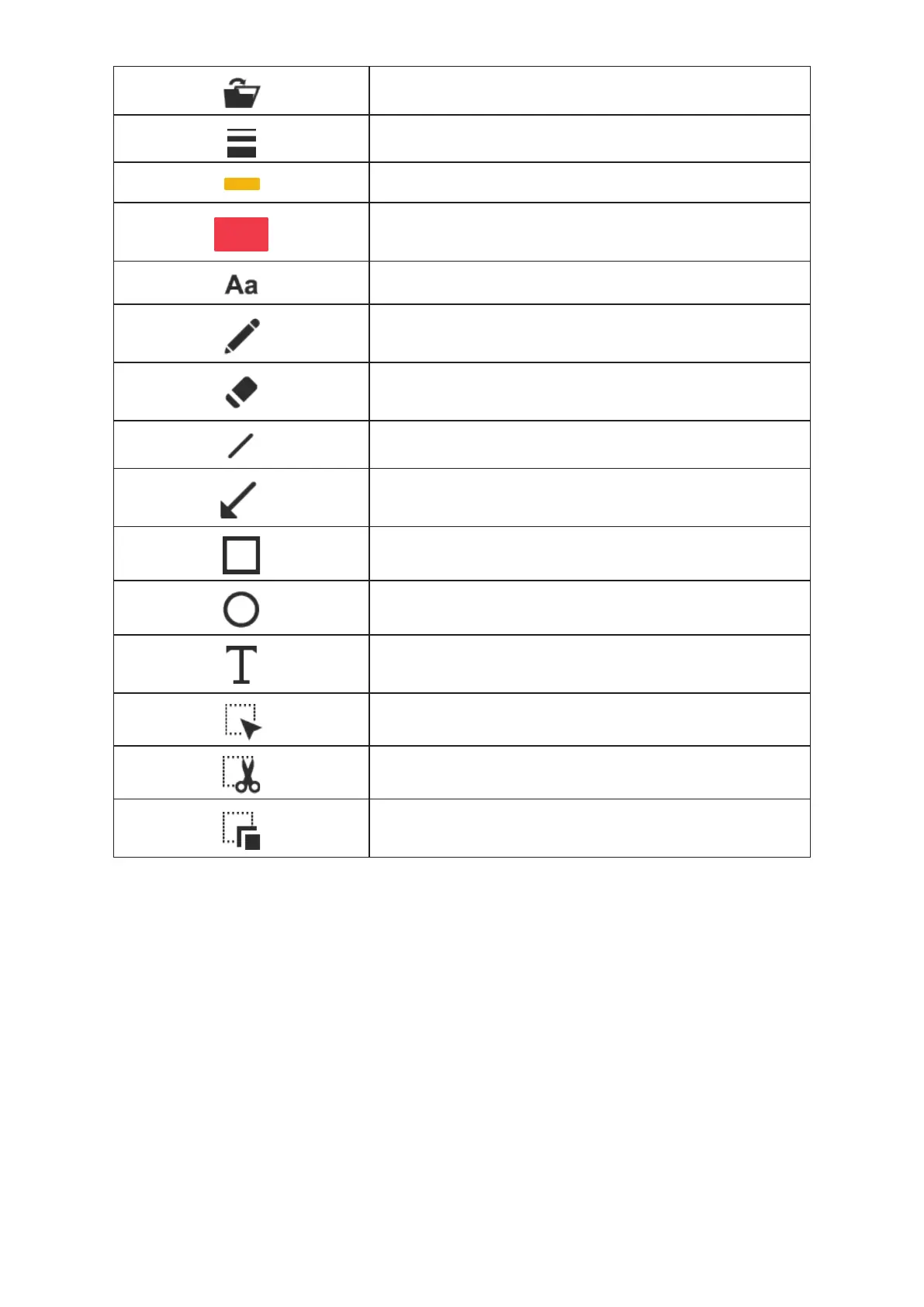
Open file
Width
Choose the width for using freehand and other drawing functions
Ink color
Choose the color for using freehand and other drawing functions
Fill color
Choose the color for the drawing function (except for using
freehand and drawing a line)
Fonts
Choose the font for the text you add
Freehand
Draw and write at will
Eraser
Erase the notes or drawings you have added
Line
Draw a line
Arrow
Draw an arrow
Rectangle
Draw a rectangle
Ellipse
Draw an ellipse
Text
Add text
Selection
Select the area for exporting, cutting, and copying
Cut Out
Cut out the selected area and save to the clipboard
Duplicate
Copy and paste the area you select


 To Next Page