8
Geng Started
Using the Document Camera as a PC cam
Starng the Applicaon
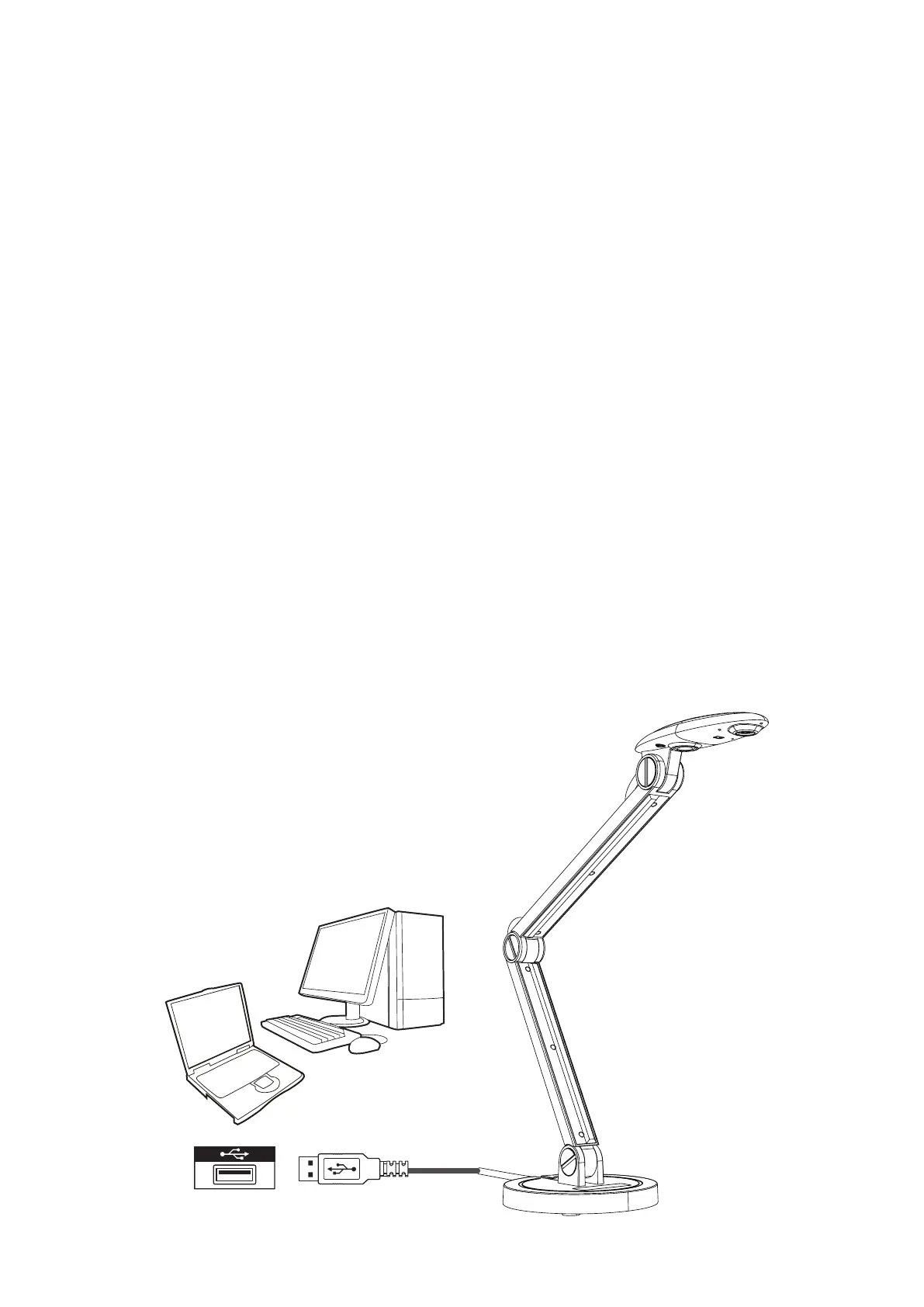
1. Connect the document camera to your computer
• Turn on your computer then connect the accessory USB cable to the USB port
of your computer.
• Make sure the connector and the port are aligned correctly.
2. Launch PC Camera
• Aer the document camera is correctly connected to and detected by your PC,
you are ready to use the PC Camera funcon.
Working with vDocCam
Windows: hps://www.viewsonicglobal.com/q/sw/vdoccam-win
Mac: hps://www.viewsonicglobal.com/q/sw/vdoccam-mac
ChromeOS: hps://www.viewsonicglobal.com/q/sw/vdoccam-chrome
1. Install the vDocCam applicaon soware.
2. Connect the device and the PC with the accessory USB cable.
3. Start vDocCam on your PC.


 To Next Page