9
Connecng to a Microscope
Connecng to a microscope enables you to examine microscopic objects on a big
screen.
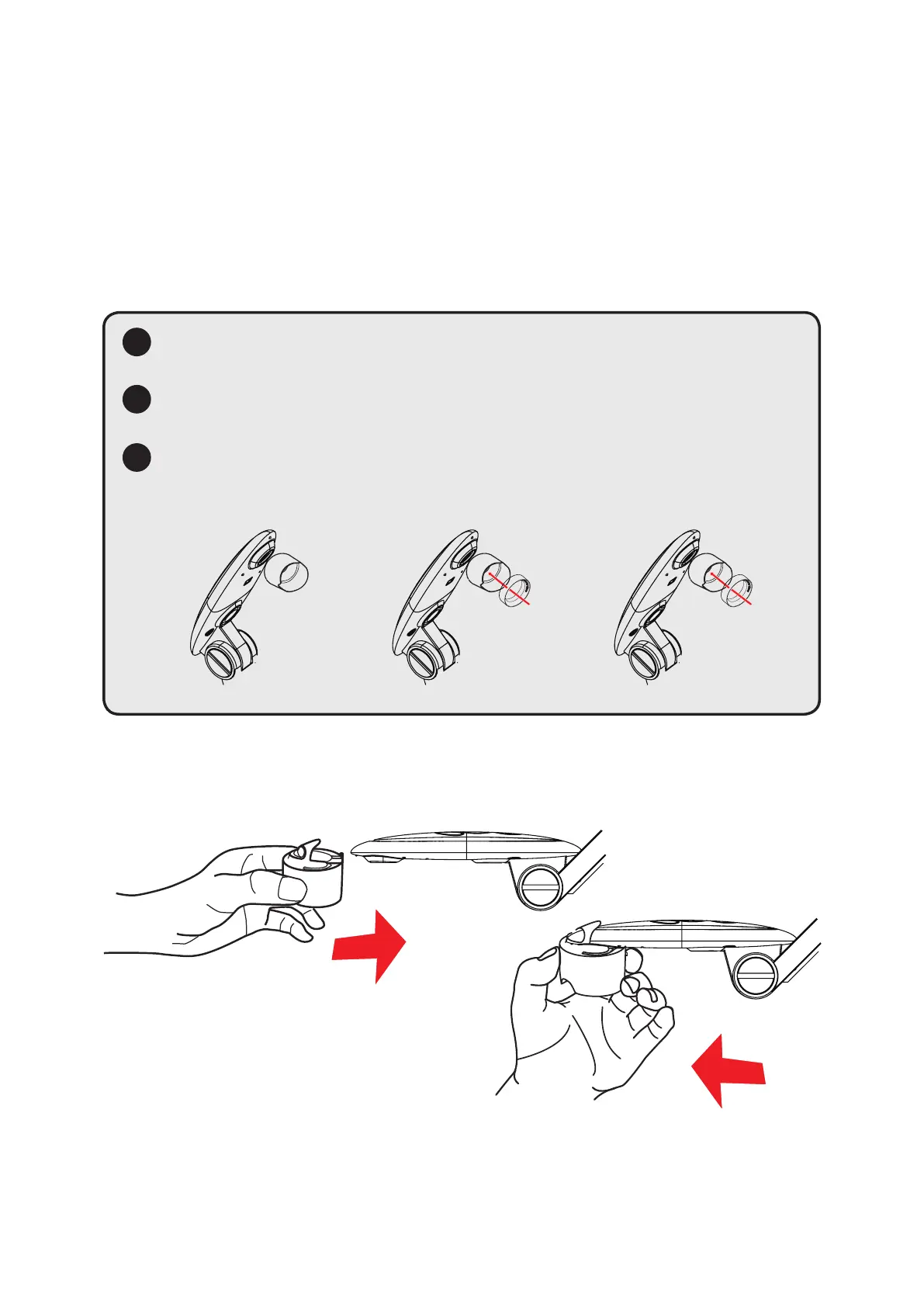
1. Adjust the microscope and focus objects.
2. Choose an appropriate microscope adapter.
3. Microscope adapter accessories are applicable to: Ø28mm ,Ø31mm, Ø33mm,
and Ø34mm eyepieces.
Ø28mmØ31mm
!
!
!
For eyepieces of about Ø33mm, Ø34mm, only a microscope adaptor
should be installed.
For a Ø28mm eyepiece, insert the Ø28mm adapter into the
microscope adapter.
For a Ø31mm eyepiece, insert the Ø31mm adapter into the
microscope adapter.
4. Mount/remove the microscope adapter onto/o the lens by performing the
acon shown in the picture below.


 To Next Page