16
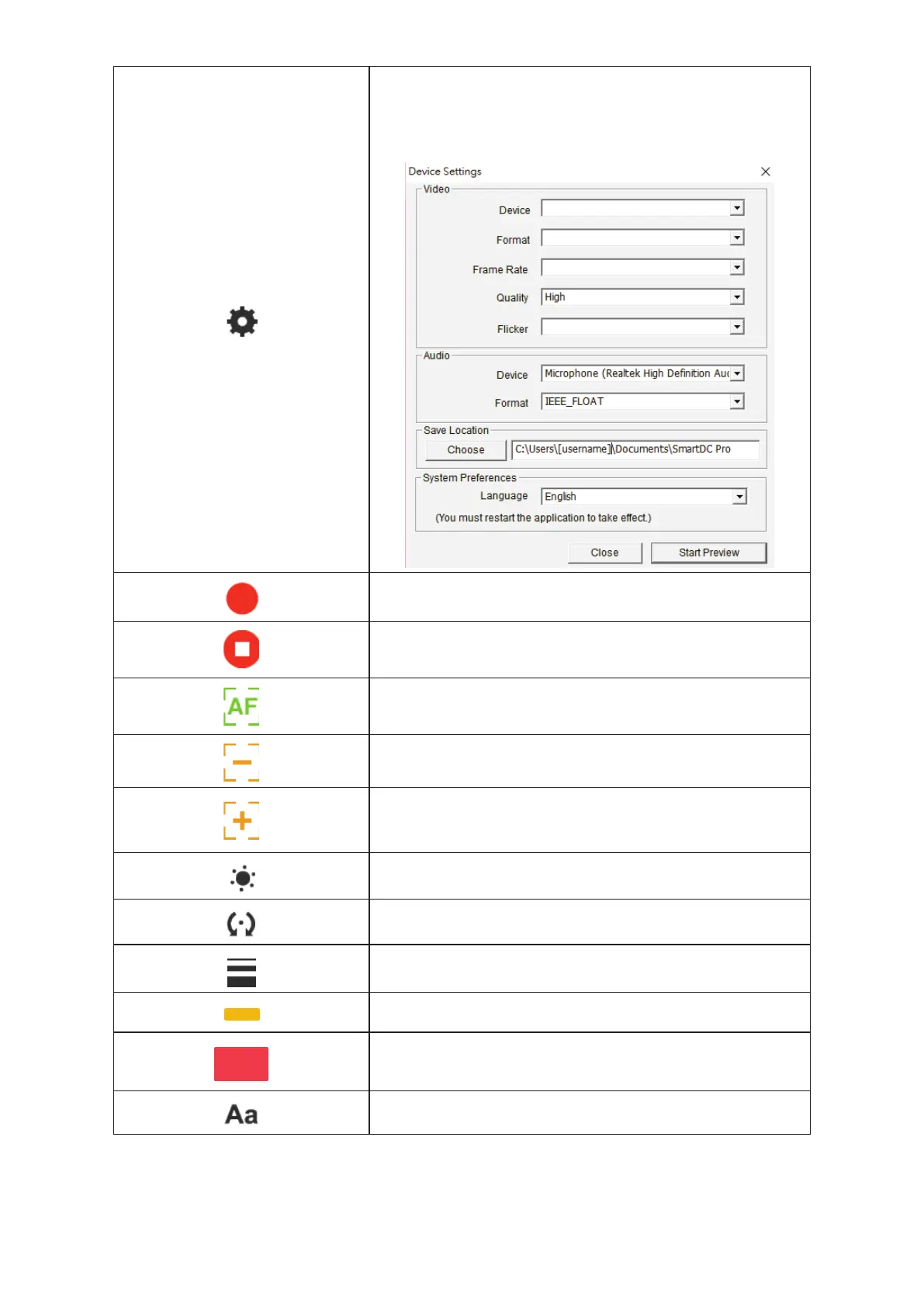
Setting
Once you click this icon, a small window pops up for you to choose
the device (the default is Document camera), the format of the
video and audio files, and the place where you would like to save
the files
Start recording
Stop recording
Auto focus
Zoom out
Zoom in
Brightness
Rotate
360° rotate the view
Width
Choose the width for using freehand and other drawing functions
Ink color
Choose the color for using freehand and other drawing functions
Fill color
Choose the color for the drawing function (except for using
freehand and drawing a line)
Fonts
Choose the font for the text you add on


 To Next Page