EasyManua.ls Logo

ViewSonic VS18324 - User Manual

ViewSonic VS18324
117 pages
Print Icon
To Next Page IconTo Next Page
Loading...
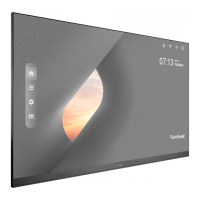
LD135-151
All-in-one Direct View LED Display
User Guide
Model No. VS18324
P/N: LD135-151
IMPORTANT: Please read this User Guide to obtain important information on installing and using your product in
a safe manner, as well as registering your product for future service. Warranty information contained in this User
Guide will describe your limited coverage from ViewSonic® Corporation, which is also found on our web site at
http://www.viewsonic.com in English, or in specific languages using the Regional selection box in the upper right
corner of our website. “Antes de operar su equipo lea cu idadosamente las instrucciones en este manual”

Table of Contents

Questions and Answers

  • A
    Amy YoungSep 8, 2025
    Why is my ViewSonic VS18324 Monitor not recognizing my USB device?
    • C
      chungvickiSep 8, 2025
      If your ViewSonic Monitor doesn't recognize the USB storage device, ensure the drive is formatted for either FAT32 or NTFS. If the USB storage device requires external power, connect its power adapter to an electrical outlet.
  • D
    Douglas MccormickSep 12, 2025
    How to improve poor picture quality on ViewSonic VS18324 Monitor?
    • K
      Kimberly FigueroaSep 12, 2025
      If you are experiencing poor picture quality on your ViewSonic Monitor, try the following: First, adjust the chroma and/or brightness settings in the menu. Second, check the signal cable for any issues. Finally, ensure that you are using the display’s native resolution for the source.
  • A
    Angela PhamSep 12, 2025
    What to do if ViewSonic Monitor picture is unclear or cuts in and out?
    • P
      Patrick WalkerSep 12, 2025
      If the picture on your ViewSonic Monitor is unclear or cuts in and out, begin by checking the signal cable for any issues. Next, check for interference from other electronics or different signal types. For long-distance sources, consider using an optional active video cable or video extender.
  • P
    Pamela HaynesSep 15, 2025
    What to do if ViewSonic VS18324 Monitor does not recognize the USB storage device?
    • C
      Colleen HallSep 15, 2025
      If your ViewSonic Monitor does not recognize the USB storage device, ensure the drive is formatted for FAT32 or NTFS. If the USB storage device requires external power, connect its power adapter to an electrical outlet.
  • M
    Michael WagnerSep 17, 2025
    How to fix a ViewSonic VS18324 Monitor remote control that is not working?
    • K
      Kimberly CrosbySep 17, 2025
      If the remote control for your ViewSonic Monitor isn't working, make sure nothing is blocking the remote control receiver on the display. Also, check that the batteries are correctly installed according to the polarity markings. If it still doesn't work, try replacing the batteries with fresh ones.

ViewSonic VS18324 Specifications

General IconGeneral
Panel TypeIPS
Resolution1920 x 1080
Response Time5 ms
Refresh Rate60 Hz
ConnectivityHDMI, VGA
Aspect Ratio16:9
Brightness250 cd/m²
Contrast Ratio1000:1
Screen Size24 inches
Viewing Angle178 degrees horizontal, 178 degrees vertical
Input ConnectorsVGA

Related product manuals