16
2-3-2 Windows Vista IP address setup:
Click ‘Start’ from windows toolbar
locate at bottom to select control
panel. Click View Network Status
and Tasks, then click Manage
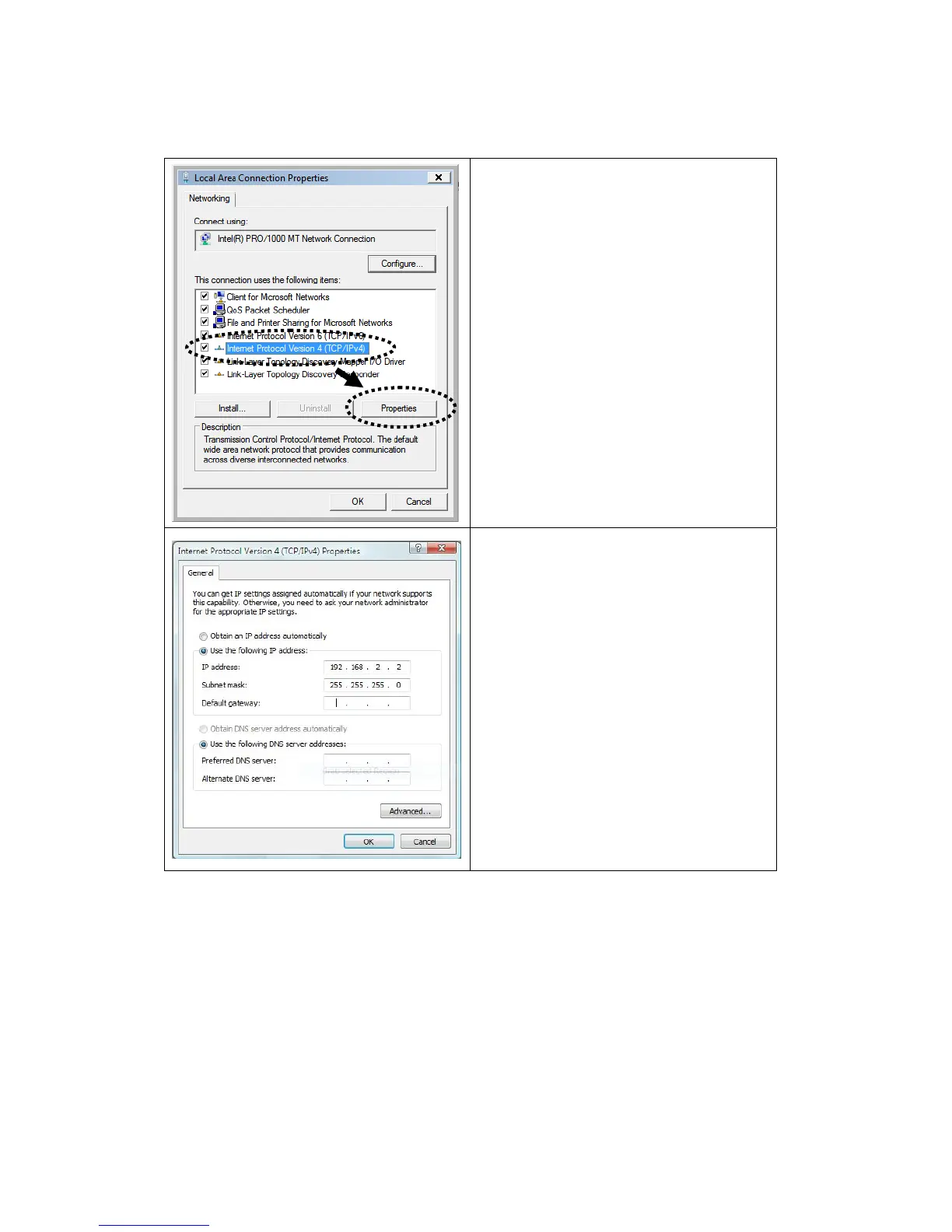
Network Connections. Right-click
Local Area Netwrok, then select
‘Properties’. Local Area
Connection Properties window will
appear, select ‘Internet Protocol
Version 4 (TCP / Ipv4), and then click
‘Properties’
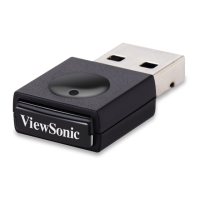
Select ‘Use the following IP address’,
then input the following settings in
respective field:
IP address: 192.168.0.x (where x is
an integer greater or less than 200, if
there’s more than one computer need
to use this WPG on the same
network, every computer should use
an unique number)
Subnet Mask: 255.255.255.0
Click ‘OK’ when finish.
WPG-350ViewSonic



 To Next Page