25
3-4 Quarter Split Screen
When there is more than one presenter, you can use this function to display up
to 4 presenter’s content to present on display screen simultaneously.
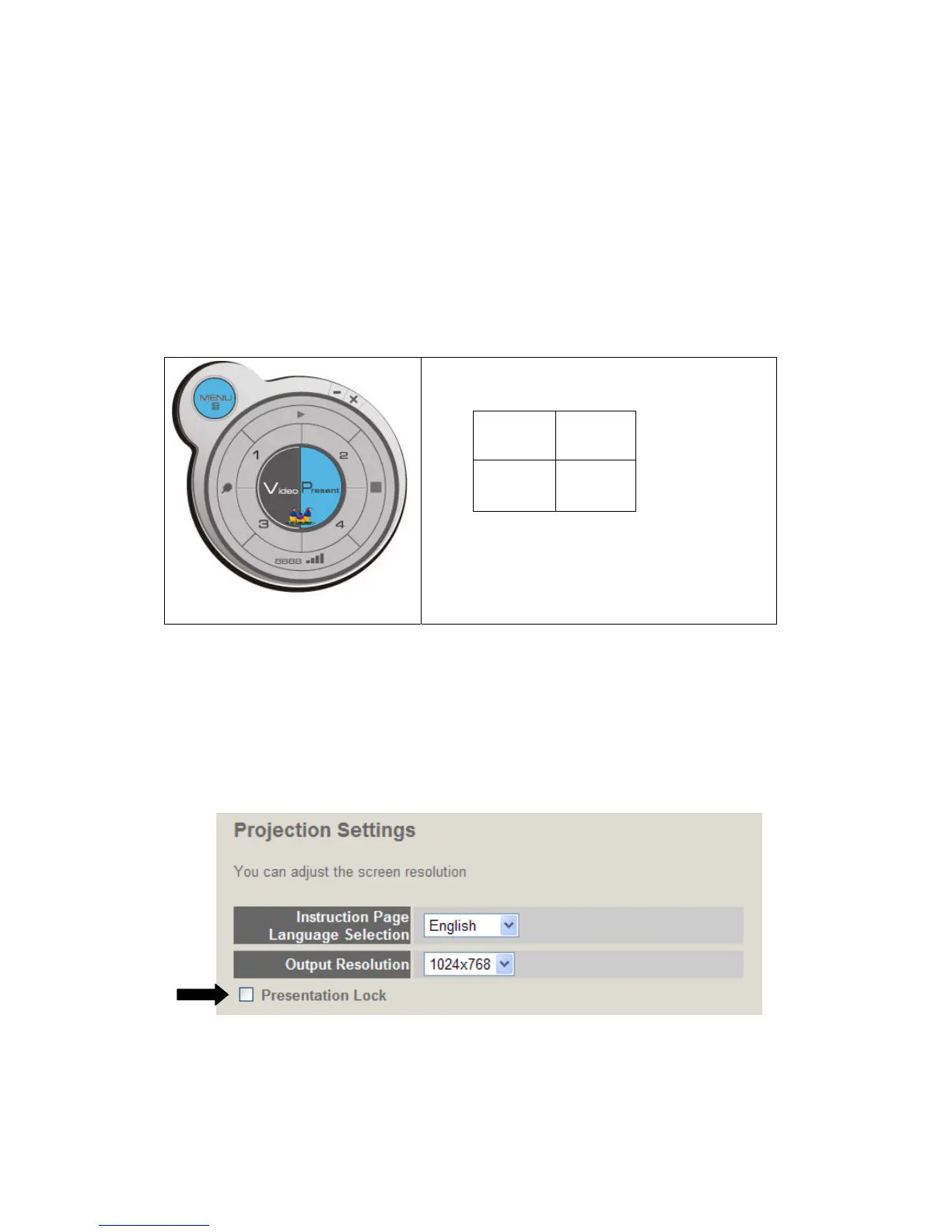
To use Quarter Split Function, please login to WPG, and select a key (1 to 4) to
present:
Number 1 to 4 correspond to different area
of display screen:
1 2
3 4
When you click a number, your content will
be displayed in corresponding Quarter-Split
display area
To show content in full-screen mode, simply click ‘Play’ button; to resume to
Quarter-Split display, simply click number key 1 to 4.
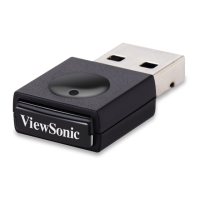
NOTE: When ‘Presentation Lock’ is checked, no one will be able to interrupt a
progressing presentation.
WPG-350ViewSonic



 To Next Page