29
4-2-2 Menu List
Besides the buttons, you can also click ‘Menu’ button to access menu list.
Item Name Function Description
Administrator Go to ‘ADMIN’ page of web menu
Open File Open a video file for video playback (in video playback
mode)
Status
System / IP Address: check the system status and the IP
address of WPG.
Signal Status: check the status of wireless connection.
About: check the version of application software:
Control VGA1: Displays your computer’s display content on
projector
VGA2: Display ‘VGA IN’ port’s display content on projector
Search**: Automatically select an active content source
The content source being used currently will have a check
mark in front of it.
Log Out Stop using application software and logout.
Play / Projection Play: start presentation
Pause: stop presentation
Stop: stop a progressing presentation
Blank: blank displaying image (all black)
Repeat: Repeat video playback (in video playback mode)
Minimize: minimizes application software
Display
Display: Show the name / SSID of WPG.
Change resolution: changes display resolution. The
resolution being used currently will have a check mark in
front of it.
Exit Close menu list
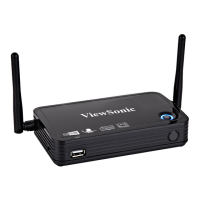
WPG-350ViewSonic



 To Next Page