56
Smart System
This section will introduce the Smart System.
Home Screen
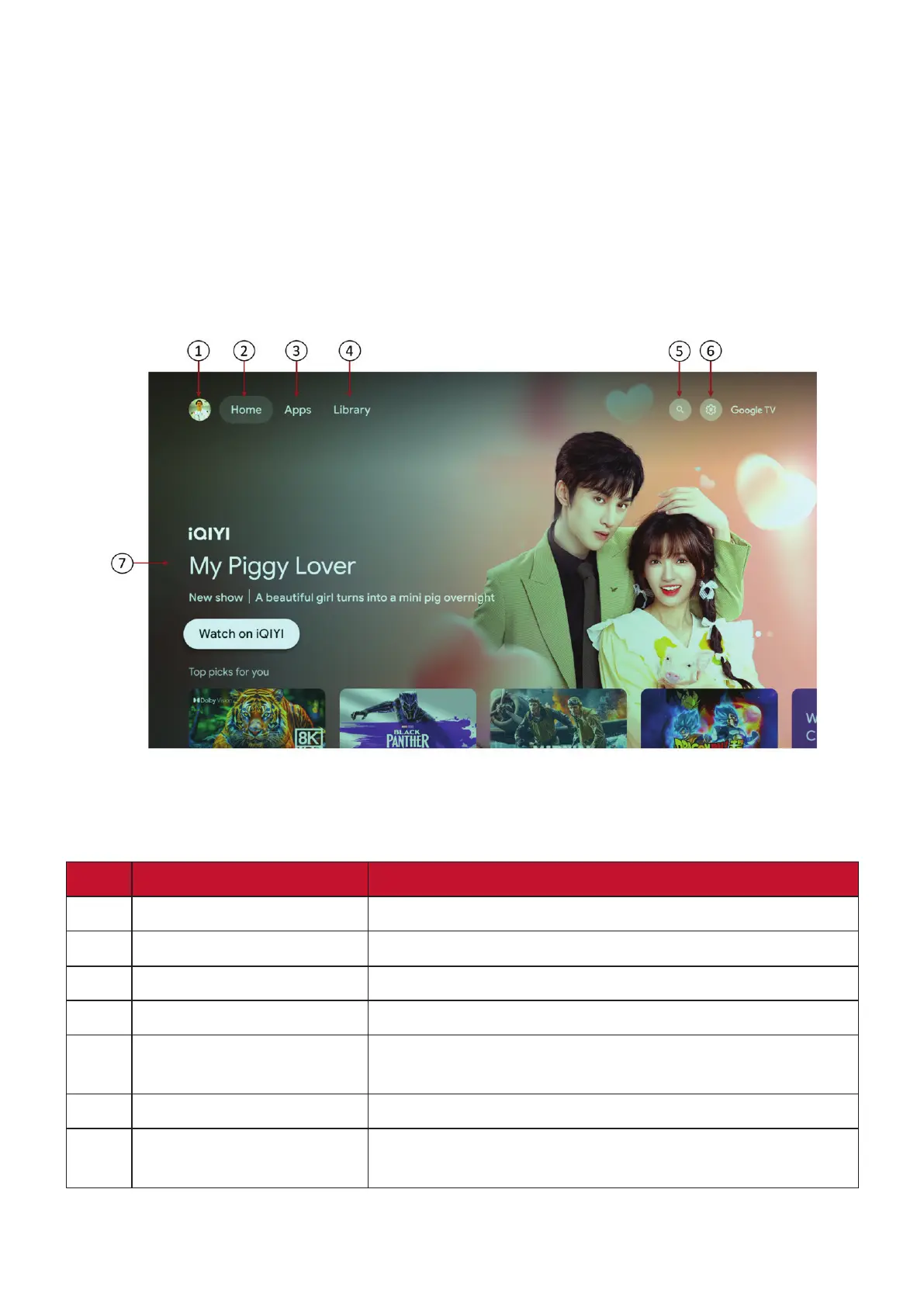
The Home Screen is displayed every time you start the projector. To navigate the
Home Screen, simply use the directional buttons on the remote control. You can
return to the main Home Screen at any time by pressing the Home button on the
remote control, regardless of what page you are on.
NOTE: The Google TV home screen depends on where you live and the language you
choose for your device. For more informaon, visit
hps://support.google.com/googletv/.
No. Item Descripon
1.
Account Access to switch account
2.
Home Access to Google TV Home screen
3.
Apps Access to all the installed apps and Google Play
4.
Library Access to show already on your watchlist
5.
Search
Access to looking for on Google TV, or to discover
more content
6.
Settings Access to Google TV settings menus
7.
Recommended content
Access to the content recommended by the specified
channel/streaming service.






 To Next Page