© 2011 Viking Preferred Service
17
Diagnostics
Entering Service Test Mode
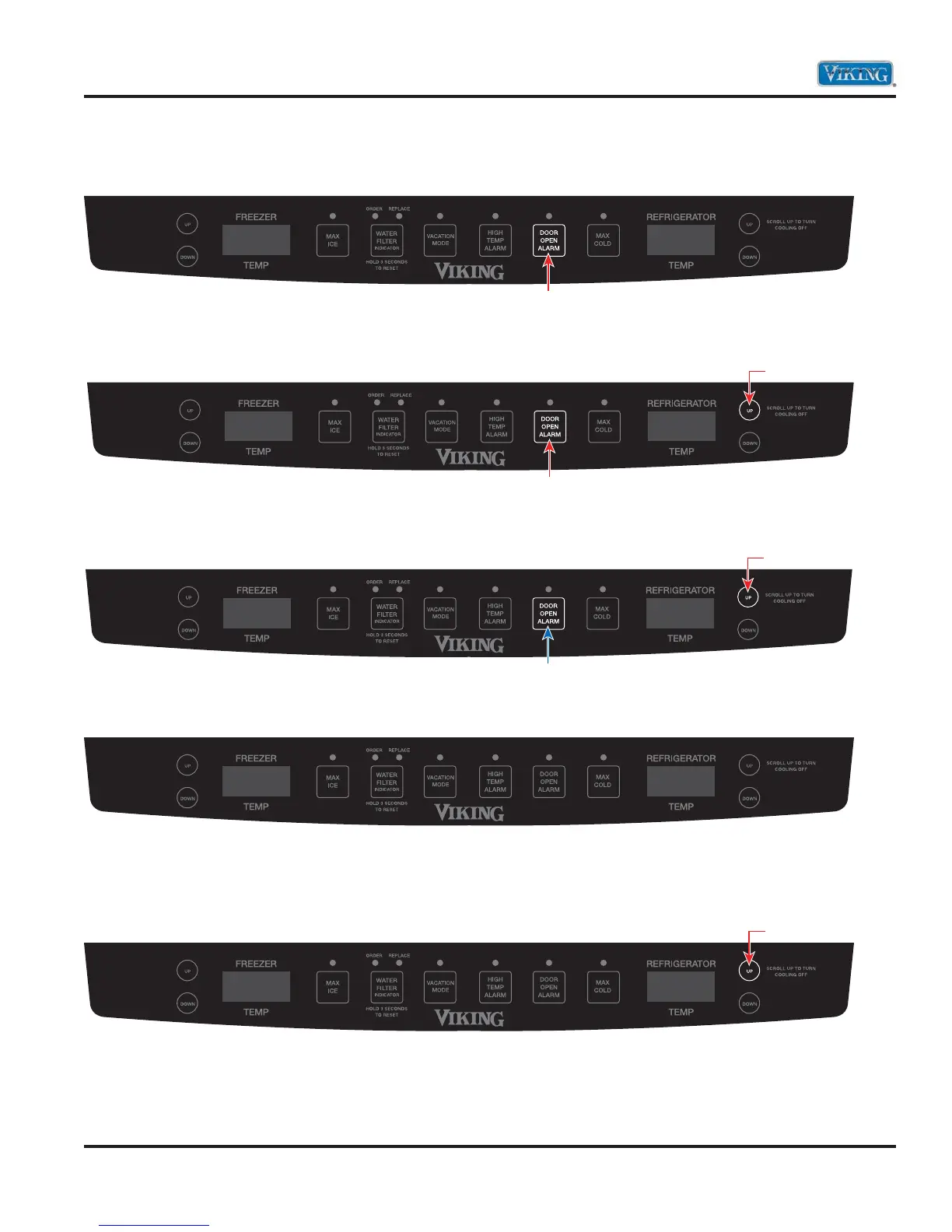
1. Press and hold the “DOOR ALARM” keypad.
2. Within three seconds, press and hold refrigerator temperature “UP” keypad. Both keypads are now
being held in.
3. While still holding the refrigerator temperature “UP”, release the “DOOR ALARM” keypad and wait three
seconds.
4. When entered successfully, the freezer temperature screen will display SE.
5. Entry is confirmed by pressing the refrigerator temperature “UP” keypad. Freezer temperature screen will
display 101. Refrigerator screen will display OFF.
7. To exit Service Test Mode, open and close refrigerator door(s) or hold door alarm for 3 seconds.
Press and Hold
Hold
Press and Hold
Release
Press and Hold
SE
101 OFF
Press


 To Next Page