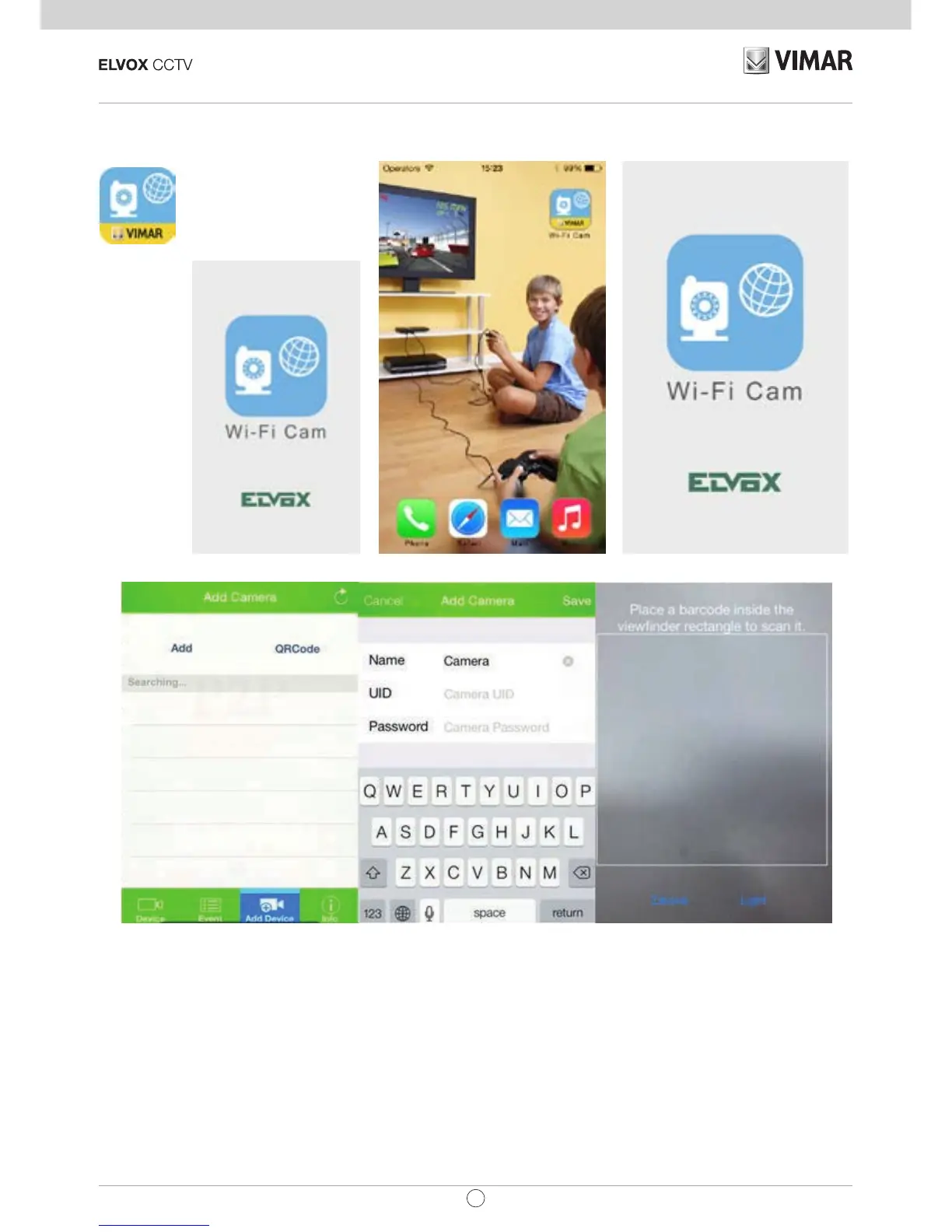
4. View via iPhone, iPad.
iPhone APP: Search the keywords ”IPCameraHBP” in Apple store, download and install it.
(pictures 5)
(pictures 6) (pictures 7)
Way 1: (Pictures 5), Click Search within the same LAN network cameras, user can search and add cameras within the
same LAN. If the cameras and phones are not in the same LAN, then cameras won’t be searched.
Way 2: (Pictures 6), Input the UID on the “UID” of the APP. The default user name and password are :admin. After login,
the APP will ask you to modify the password. Note:the “Device ID”is on the bottom of the ip cameras.
Way 3: In (Pictures 7), Click “ Scan” to scan the QR code on the label of IP camera. It will nd and add the ID
automatically,Then click to nish.


 To Next Page